So Pruefen Sie die Kameraqualitaet Ihres Telefons
Test 1 - die Kamera oeffnet sich
Der erste Fehlerfall ist "Kamera erscheint nicht im Browser". Zwei haeufige Ursachen: der Browser hat keine Kameraberechtigung, oder eine andere App haelt die Kamera (schliessen Sie Zoom, Teams, OBS oder die native Kamera-App, die sie moeglicherweise belegt). Fuer eine schrittweise Anleitung zur Freigabe der Berechtigung, siehe Kameratest-Berechtigung blockiert - so erlauben.
Test 2 - Aufloesung passt zur Spezifikation
Telefonkamera-Spezifikationen werden in Megapixeln beworben. Ein 12-MP-Sensor produziert 4032x3024-Fotos. Die Testseite zeigt die tatsaechliche Aufloesung, die der Browser erhaelt.
Die beworbene Megapixelzahl gilt fast immer für die Rückkamera. Frontkameras der meisten Smartphones liefern dem Browser 8-32 MP und eine 1080p- oder 4K-Vorschau - ausreichend für Videoanrufe, aber deutlich weniger als der Hauptsensor. Verwenden Sie den Schritt "Kamera wechseln" im Test, um beide Linsen zu prüfen: die für die Frontkamera angezeigte Auflösung ist das, was Ihr Gesprächspartner beim Videoanruf tatsächlich sieht.
Test 3 - Fokus auf Text
Test 3 - Fokus auf Text in Kameraqualitaet am Telefon pruefen: oeffnen Sie eine Druckseite, tippen Sie zum Fokussieren und pruefen Sie ob Buchstaben auf Armlaenge scharf bleiben vor einem Videoanruf.
Fuer eine vollstaendige Vor-Anruf-Routine siehe Geraete-Test-Checkliste fuer Remote-Arbeit. Fuer eine schnelle Pass/Fail-Uebersicht ohne einzelne Testschritte, siehe Kameracheck.
Hardware-Fehler vs. Software-Fehler - Anzeichen erkennen
Die Unterscheidung zwischen Hardware und Software ist die wichtigste Frage nach allen fuenf Tests. Ein fester Fleck in derselben Ecke jedes Fotos, unabhaengig davon, wie man das Telefon haelt, befindet sich im Kameramodul - ein Garantiefall, keine Reinigungsaufgabe. Ein Autofokus, der bei jeder Oberflaeche in jeder Lichtsituation versagt, deutet auf einen defekten Motor oder ein beschaedigtes Linsenelement hin. Rauschen, das nach einem OS-Update verschwunden ist, oder ein Fokusfehler, der nach einem App-Neustart behoben wurde, zeigt ein Software-Problem. Pixel-Binning ist eine haeufige Fehlerquelle: Ein 48-MP-Telefon liefert ueber die Browser-Kamera-API in der Regel 12 MP (4000x3000), weil vier Pixel zu einem zusammengefasst werden - korrektes Verhalten, kein Defekt.
Megapixel vs Aufloesung der Browser-Kamera-API
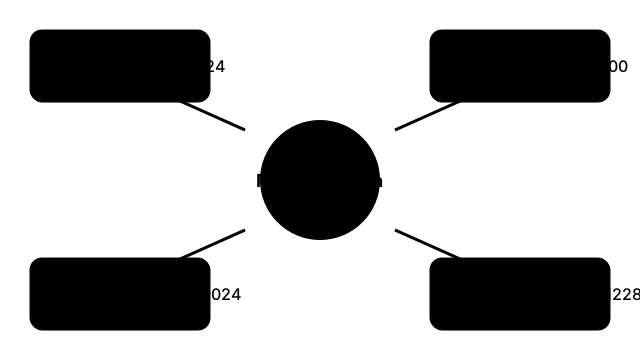
| Angekuendigte MP | Native Bildabmessungen | Typische Browser-API-Ausgabe |
|---|---|---|
| 12 MP | 4032 x 3024 | 4032 x 3024 (voller Sensor) |
| 48 MP | 8000 x 6000 | 4000 x 3000 (Pixel-Binning 4-zu-1) |
| 108 MP | 12032 x 9024 | 3008 x 2256 (Pixel-Binning 9-zu-1) |
| 200 MP | 16384 x 12288 | 4096 x 3072 (Pixel-Binning 16-zu-1) |
Megapixel vs Aufloesung der Browser-Kamera-API in Kameraqualitaet am Telefon pruefen: Marketing-Megapixel sind nicht dieselbe Preview-Groesse die getUserMedia im Browser wirklich liefert.
FreetoolOnline editorial team