Initializing, please wait a moment

Prueba de LCD para Pantallas de Portatil

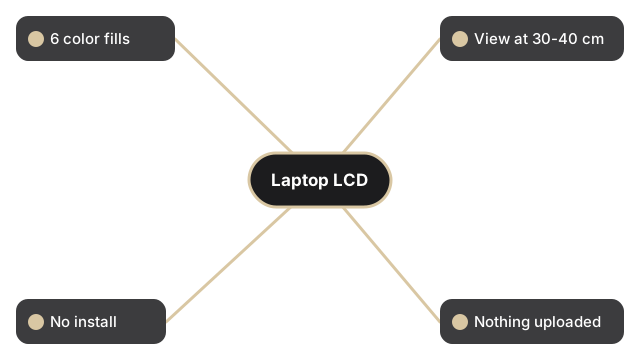
Haz clic en uno de los 6 botones de color - rojo, verde, azul, negro, blanco o amarillo - para rellenar la pantalla con ese color solido. Busca pixeles atascados, zonas oscuras o brillo desigual. La pagina tambien muestra el tamano del viewport y la resolucion nativa.

PropiedadValor
Colores de prueba6 (rojo, verde, azul, negro, blanco, amarillo)
Tiempo de prueba~2 minutos para los 6 colores
InstalacionNinguna - funciona en el navegador
HerramientaPrueba de pantalla LCD

Cada color expone un fallo diferente en un panel de portatil. El negro revela pixeles atascados encendidos que nunca se apagan; el blanco revela pixeles muertos oscuros y polvo en la superficie; rojo, verde y azul aislan cada uno un canal de subpixel; el amarillo fuerza los subpixeles rojo y verde a la vez. Marca la casilla "Test in full screen mode" antes de elegir un color para que la barra de herramientas del navegador no oculte un defecto cerca del borde superior. Recorre los seis colores despacio e inclina un poco la tapa para comprobar que el brillo se mantiene uniforme en toda la pantalla del portatil.

Why trust these tools

  • Ten-plus years of web tooling. The freetoolonline editorial team has shipped browser-based utilities since 2015. The goal has never changed: get you to a working output fast, without an install.
  • No install, no sign-up. Open a tool and get a working output in seconds - nothing to download and no account to create. Tools that need heavy processing run it on our service, so even a low-powered machine gets the job done.
  • Analytics stops at the page view. We measure which pages get visited, not what you type or upload inside a tool. There is nothing to sign in to and no profile is attached to your input.
  • Open-source core components. The processing engines underneath (libheif, libde265, pdf-lib, terser, clean-css, ffmpeg.wasm, and others) are public and audit-able. We link to each one in its tool page's footer.
  • Free, with or without ads. All tools are fully functional without sign-up. The Disable Ads button in the header is always available if you need a distraction-free run.

Related tools:

  • Camera Test - Free camera test online: live preview, resolution readout, switch front and back camera, capture
  • Keyboard Test - Keyboard test online - press each key to highlight it, spot non-working keys, and verify Num Lock,
  • LCD Test - Test your LCD screen for dead pixels, stuck pixels, and backlight bleed.
  • Microphone Test - Free microphone test online: live spectrum meter, mic permission check, and optional speaker
  • Device Test Tools - Test camera, microphone, keyboard, and LCD online before meetings.
  • All Guides - Browser Tool Library - Free, in-browser guides on compressing files, converting HEIC, testing screens, hashing, PDFs, and
  • Screen Recorder - Record your screen, camera, or microphone in the browser, blur faces while recording, and download

Tags: #device-test, #guide, #lcd, #test, #laptop

Related guides: