Initializing, please wait a moment

Markdown to HTML Previewer Vs Alternativas


Markdown to HTML Previewer es una de tres formas comunes de obtener HTML desde Markdown: esta herramienta en el navegador, una app de escritorio, o un conversor online con subida.


Markdown to HTML Previewer Vs Alternativas

AspectMarkdown to HTML PreviewerDesktop appUpload converter
Donde va tu MarkdownSe queda en esta pestanaSe queda en este dispositivoSe sube a un servidor
InstalacionNoSiNo
Sin cuentaSiSiVaria
Saneado antes de la vista previaSi (DOMPurify)VariaVaria
Mejor paraBorradores rapidosDocumentos largos offlineLote con cuenta en la nube
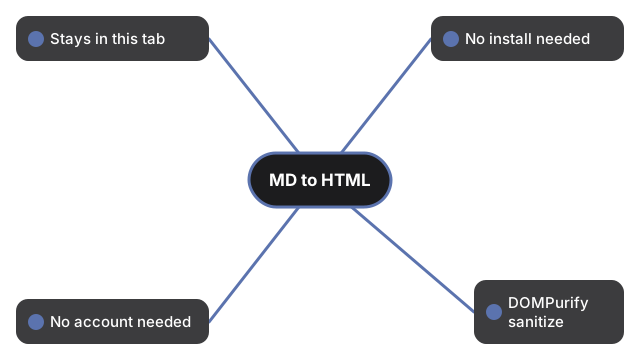
Compara Markdown a HTML Previewer: permanece en la pestana, sin instalacion, sin cuenta, DOMPurify antes de vista previa.
En la pestana, sin instalacion, sin cuenta, DOMPurify.

Elige esta pagina cuando el borrador es corto, quieres vista previa local y HTML copiable sin crear cuenta.

← Volver a herramientas de desarrollador

Why trust these tools

  • Ten-plus years of web tooling. The freetoolonline editorial team has shipped browser-based utilities since 2015. The goal has never changed: get you to a working output fast, without an install.
  • No install, no sign-up. Open a tool and get a working output in seconds - nothing to download and no account to create. Tools that need heavy processing run it on our service, so even a low-powered machine gets the job done.
  • Analytics stops at the page view. We measure which pages get visited, not what you type or upload inside a tool. There is nothing to sign in to and no profile is attached to your input.
  • Open-source core components. The processing engines underneath (libheif, libde265, pdf-lib, terser, clean-css, ffmpeg.wasm, and others) are public and audit-able. We link to each one in its tool page's footer.
  • Free, with or without ads. All tools are fully functional without sign-up. The Disable Ads button in the header is always available if you need a distraction-free run.

Related tools:

Related guides: