Initializing, please wait a moment
Habitable Zone 3D Explorer langkah demi langkah
Buka Habitable Zone 3D Explorer, pilih Matahari katai M atau kelas TRAPPIST-1 dan lihat pita HZ hijau diskalakan sqrt(L).
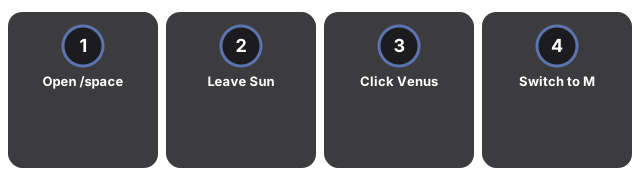
- Buka https://freetoolonline.com/space-3d/habitable-zone.html dan tunggu bintang plus cincin HZ hijau.
- Biarkan Matahari (L=1) - baca HZ 0.95-1.37 AU dan Bumi 1 AU di panel.
- Klik Venus (~0.72 AU) atau Mars (~1.52 AU) untuk status zona.
- Ganti ke katai M (L=0.1) HZ ~0.30-0.43 AU; TRAPPIST-1 ~0.022-0.032 AU.
- Pause orbits membekukan penanda; HZ table menampilkan ketiga preset.
Zona layak huni: angka kunci
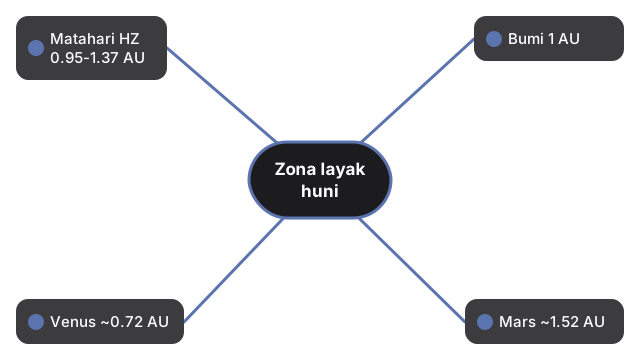
| Bintang / benda | Zona layak huni atau jarak (AU) |
|---|---|
| Matahari (L=1) HZ konservatif | 0.95-1.37 AU |
| Bumi | 1 AU |
| Venus | ~0.72 AU |
| Mars | ~1.52 AU |
| Katai M (L=0.1) HZ | ~0.30-0.43 AU |
| Kelas TRAPPIST-1 HZ | ~0.022-0.032 AU |
Next: the when guide or vs alternatives. Open the Habitable Zone 3D Explorer.