Cara Memeriksa Kualitas Kamera Ponsel Anda
Tes 1 - kamera terbuka
Mode kegagalan pertama adalah "kamera tidak muncul di browser". Dua penyebab umum: browser tidak memiliki izin kamera, atau aplikasi lain sedang memegang kamera (tutup Zoom, Teams, OBS, atau aplikasi Kamera bawaan yang mungkin sedang menggunakannya). Untuk panduan izin langkah demi langkah, lihat izin uji kamera diblokir - cara mengizinkannya.
Tes 2 - resolusi sesuai dengan spesifikasi
Spesifikasi kamera ponsel diiklankan dalam megapiksel. Sensor 12 MP menghasilkan foto 4032x3024. Halaman tes menampilkan resolusi sebenarnya yang diterima browser.
Jumlah megapiksel yang diiklankan hampir selalu untuk kamera belakang. Kamera depan sebagian besar ponsel melaporkan 8-32 MP ke browser dan memberikan pratinjau 1080p atau 4K - cukup untuk panggilan video, tetapi jauh di bawah sensor belakang utama. Gunakan langkah Switch Camera dalam tes untuk memeriksa kedua lensa: resolusi yang ditampilkan untuk kamera depan adalah apa yang benar-benar dilihat lawan bicara Anda dalam panggilan video.
Tes 3 - fokus pada teks
Tes 3 - fokus pada teks di Cara memeriksa kualitas kamera ponsel: buka halaman cetak, ketuk untuk fokus, dan nilai apakah huruf tetap tajam sejauh lengan sebelum panggilan video.
Untuk rutinitas pra-panggilan lengkap, lihat checklist tes perangkat untuk kerja jarak jauh. Untuk gambaran umum lulus/gagal cepat tanpa langkah pengujian individual, lihat pemeriksaan kamera.
Kerusakan hardware vs. masalah software - cara membaca tandanya
Membedakan hardware dari software adalah pertanyaan terpenting setelah semua lima tes selesai. Bercak tetap di sudut yang sama di setiap foto, terlepas dari cara memegang ponsel, berada di dalam modul kamera - ini kasus garansi, bukan pekerjaan pembersihan. Autofokus yang gagal di setiap permukaan dan kondisi cahaya menunjukkan motor autofokus rusak atau elemen lensa bermasalah. Butiran yang hilang setelah pembaruan OS, atau kegagalan fokus yang teratasi setelah restart aplikasi kamera, menunjukkan masalah pipeline yang dapat diperbaiki pabrikan melalui perangkat lunak. Pixel-binning adalah sumber kebingungan yang umum: ponsel 48 MP biasanya mengirimkan 12 MP (4000x3000) melalui API kamera browser karena empat piksel fisik digabungkan menjadi satu untuk meningkatkan sensitivitas cahaya rendah.
Megapixel vs resolusi API kamera browser
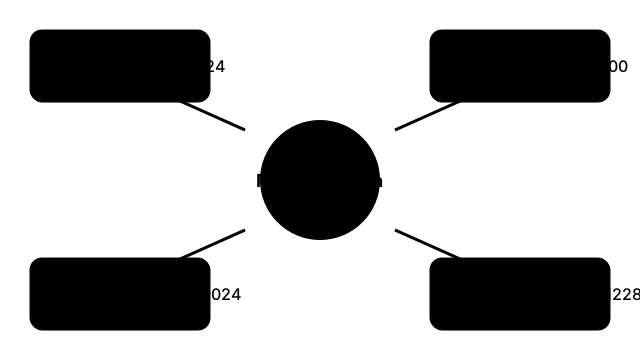
| MP yang diiklankan | Dimensi foto asli | Output API kamera browser |
|---|---|---|
| 12 MP | 4032 x 3024 | 4032 x 3024 (sensor penuh) |
| 48 MP | 8000 x 6000 | 4000 x 3000 (pixel-binning 4-ke-1) |
| 108 MP | 12032 x 9024 | 3008 x 2256 (pixel-binning 9-ke-1) |
| 200 MP | 16384 x 12288 | 4096 x 3072 (pixel-binning 16-ke-1) |
Megapixel vs resolusi API kamera browser di Cara memeriksa kualitas kamera ponsel: megapixel pemasaran bukan ukuran preview yang benar-benar dikirim getUserMedia di browser.
FreetoolOnline editorial team