Konverter PNG ke WebP Vs Alternatif
Konverter PNG ke WebP adalah salah satu dari tiga cara umum untuk mengonversi gambar PNG ke WebP: alat berbasis browser seperti ini, aplikasi desktop, atau layanan online berbasis unggah. Masing-masing memiliki kompromi berbeda soal ke mana file Anda pergi dan apa yang perlu diinstal.
Bagaimana Konverter PNG ke WebP dibandingkan
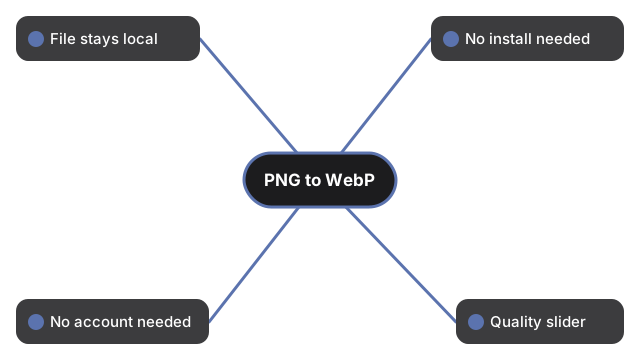
| Aspek | Konverter PNG ke WebP (alat ini) | Aplikasi desktop | Layanan online berbasis unggah |
|---|---|---|---|
| Ke mana file Anda pergi | Tetap di perangkat ini | Tetap di perangkat ini | Diunggah ke server |
| Instalasi diperlukan | Tidak | Ya | Tidak |
| Berfungsi tanpa akun | Ya | Ya | Bervariasi per layanan |
| Pengatur kualitas tersedia | Ya, jika browser mendukung | Biasanya ya | Bervariasi per layanan |
Penggunaan umum: ketika platform tujuan Anda menerima WEBP tetapi tidak PNG.
Ukuran dan kualitas output diatur oleh kolom opsi di atas pemilih file; nilai default sudah sesuai untuk penggunaan paling umum.
Kapan memilih Konverter PNG ke WebP
Pilih Konverter PNG ke WebP untuk konversi sekali pakai saat Anda tidak ingin menginstal apa pun dan file tetap di perangkat Anda. Canvas API memproses gambar secara lokal - tidak ada yang diunggah atau disimpan melampaui sesi halaman.
Pilih alat desktop jika perlu mengonversi banyak file sekaligus atau butuh akses offline. Pilih layanan berbasis unggah jika sudah menjadi bagian dari alur pemrosesan yang Anda jalankan.
Untuk langkah-langkah tepat, lihat Konverter PNG ke WebP langkah demi langkah.
Tidak yakin mana yang lebih cocok? Lihat Konverter PNG ke WebP - kapan digunakan.
Why trust these tools
- Ten-plus years of web tooling. The freetoolonline editorial team has shipped browser-based utilities since 2015. The goal has never changed: get you to a working output fast, without an install.
- No install, no sign-up. Open a tool and get a working output in seconds - nothing to download and no account to create. Tools that need heavy processing run it on our service, so even a low-powered machine gets the job done.
- Analytics stops at the page view. We measure which pages get visited, not what you type or upload inside a tool. There is nothing to sign in to and no profile is attached to your input.
- Open-source core components. The processing engines underneath (libheif, libde265, pdf-lib, terser, clean-css, ffmpeg.wasm, and others) are public and audit-able. We link to each one in its tool page's footer.
- Free, with or without ads. All tools are fully functional without sign-up. The Disable Ads button in the header is always available if you need a distraction-free run.