Initializing, please wait a moment

Como Explorar Hohmann Transfer 3D Explorer - Passo a Passo


O Hohmann Transfer 3D Explorer comeca assim que a pagina carrega: arraste para orbitar a visualizacao, role ou belisque para ampliar, e pressione Play transfer para disparar as duas queimas. Tudo roda no seu proprio dispositivo - sem instalacao, sem conta.


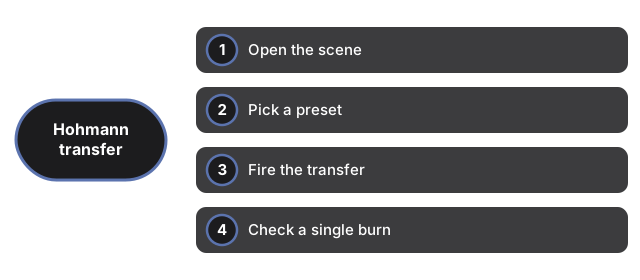
Abrir a cena

Carregue a pagina e o preset LEO to GEO aparece por padrao, com a nave em repouso no anel orbital interno. O motor 3D e baixado uma vez e fica em cache. Se o WebGL nao estiver disponivel, aparece um aviso simples em vez de uma tela quebrada, e o painel de dados continua funcionando normalmente.


Escolher um preset

Pressione LEO to GEO para a transferencia em escala de satelite (r1=6,678 km, r2=42,164 km) ou Earth to Mars para a transferencia interplanetaria (r1=1.0 AU, r2=1.524 AU). Cada preset redesenha os aneis orbitais interno e externo, a elipse de transferencia e o painel de dados juntos.


Disparar a transferencia

Pressione Play transfer. O botao muda para Transferring enquanto a nave percorre a elipse turquesa do marcador turquesa de partida ao marcador laranja de chegada em cerca de tres segundos de animacao - representando exatamente a metade da orbita de transferencia real. Ao chegar, o botao muda para Reset to inner orbit.


Verificar uma unica queima

Clique apenas no marcador turquesa para o delta-v da queima de partida, ou no marcador laranja para a queima de chegada. Para LEO to GEO esses valores sao 2.45 km/s e 1.47 km/s; para Earth to Mars o valor publicado cobre toda a manobra em vez de uma divisao clara por queima.

Ler o painel de dados

O painel lista o raio orbital interno r1, o raio orbital externo r2, o tempo de transferencia e o delta-v total para o preset ativo, alem de uma nota sobre como o valor do tempo de transferencia foi obtido ou calculado. Uma nota final afirma que os raios orbitais na tela sao comprimidos para facilitar a leitura, enquanto os valores de r1, r2, tempo e delta-v sao reais.

← Voltar para Space 3D

Why trust these tools

  • Ten-plus years of web tooling. The freetoolonline editorial team has shipped browser-based utilities since 2015. The goal has never changed: get you to a working output fast, without an install.
  • No install, no sign-up. Open a tool and get a working output in seconds - nothing to download and no account to create. Tools that need heavy processing run it on our service, so even a low-powered machine gets the job done.
  • Analytics stops at the page view. We measure which pages get visited, not what you type or upload inside a tool. There is nothing to sign in to and no profile is attached to your input.
  • Open-source core components. The processing engines underneath (libheif, libde265, pdf-lib, terser, clean-css, ffmpeg.wasm, and others) are public and audit-able. We link to each one in its tool page's footer.
  • Free, with or without ads. All tools are fully functional without sign-up. The Disable Ads button in the header is always available if you need a distraction-free run.

Related tools:

  • All Guides - Browser Tool Library - Free, in-browser guides on compressing files, converting HEIC, testing screens, hashing, PDFs, and
  • Solar System 3D Explorer - Solar System 3D Explorer - All eight planets orbit the sun live on screen - drag to orbit the view,
  • Black Hole 3D Visualizer - Black Hole 3D Visualizer - Tens of thousands of glowing particles orbit the black event-horizon
  • Galaxy 3D Simulator - Galaxy 3D Simulator - Up to 100,000 points form the spiral arms on desktop (30,000 on phones so
  • Tyrannosaurus rex 3D Viewer - View a Tyrannosaurus rex in 3D - rotate the model, size it against a person, and read its real
  • Mosasaurus 3D Viewer - View a Mosasaurus in 3D - rotate the giant marine reptile, size it against a person, and read its
  • Velociraptor 3D Viewer - View a Velociraptor in 3D at its true, turkey-sized scale - rotate the model, size it against a
  • Triceratops 3D Viewer - View a Triceratops in 3D - rotate its frilled skull and three horns, size the model against a
  • Spinosaurus 3D Viewer - View a Spinosaurus in 3D at published scale - rotate the sail-backed model, size it against a
  • Stegosaurus 3D Viewer - View Stegosaurus in 3D - rotate the plated model, size it against a person, and read its real
  • Brachiosaurus 3D Viewer - View Brachiosaurus in 3D - rotate the tall sauropod, size it against a person, and read its real
  • GPU Test - WebGL Benchmark & Info - GPU Test - WebGL Benchmark & Info - See what your browser's graphics stack can do - WebGL 1 and 2

Related guides:

Related news: