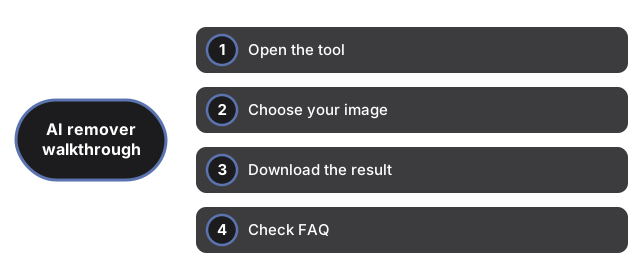
KI-Hintergrundentferner - Schritt-fuer-Schritt-Anleitung
Entfernen Sie den Hintergrund eines Bildes in drei Schritten mit dem KI-Hintergrundentferner. Der gesamte Prozess laeuft im Browser - Ihr Bild wird nie auf einen Server hochgeladen.
freetoolonline.com Editorial TeamSchritt 1 - Werkzeug oeffnen
Schritt 1 - Werkzeug oeffnen auf AI Background Remover. Kein Login oder Install - die Seite laedt die Oberflaeche sofort.
Schritt 2 - Bild auswaehlen
Klicken Sie auf die Dateiauswahl und waehlen Sie Ihr Bild (PNG, JPG oder WebP). Eine Vorschau erscheint sofort auf dem Canvas, bevor jede Verarbeitung beginnt. Bei der ersten Nutzung laedt ein Klick auf Hintergrund entfernen das KI-Modell einmalig herunter (ca. 26 MB), das dann gecacht wird.
Schritt 3 - Ergebnis herunterladen
Schritt 3 - Ergebnis herunterladen als transparentes PNG mit Download PNG, nachdem Remove background fertig ist - die Verarbeitung bleibt im Browser.
Welche Eingabeformate werden unterstuetzt?
Die Dateiauswahl akzeptiert PNG, JPG, WebP und andere Formate, die Ihr Browser unterstuetzt. Die Ausgabe ist immer ein transparentes PNG.
Warum dauert die erste Nutzung laenger?
Die erste Nutzung laedt die KI-Modellgewichte herunter (ca. 26 MB). Danach ist das Modell gecacht und alle weiteren Nutzungen sind sofort.