So komprimieren Sie ein Bild online auf 50KB (kostenlos)
Ein Bild online auf 50 KB zu bringen ist ein Qualitaetskompromiss, der in mehreren Durchgaengen erledigt wird, nicht mit einem Knopf. Speichern Sie das Foto als JPG, legen Sie es in einen Browser-Kompressor und senken Sie die Qualitaet, bis das Vorschauergebnis unter Ihr Limit passt. Die komprimierte Kopie erscheint neben dem Original, sodass Sie den Kompromiss vor dem Herunterladen bestaetigen.
freetoolonline.com Editorial Team| Eigenschaft | Wert |
|---|---|
| Format | Online, ohne Installation, ohne Anmeldung |
| Kosten | Kostenlos |
| Verwendetes Tool | https://freetoolonline.com/image-tools/compress-image.html |
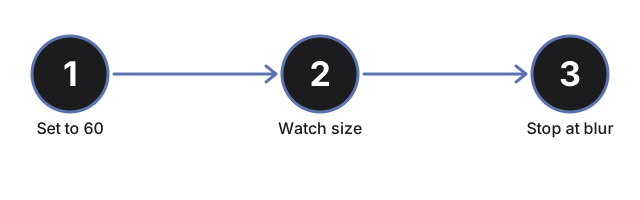
Drei Dinge entscheiden, ob Sie unter 50 KB kommen. Das Format kommt zuerst: ein PNG- oder HEIC-Screenshot haelt Details, die JPG verwirft, also speichern Sie es vor dem Komprimieren als JPG, weil ein PNG allein oft nicht weit schrumpft. Die Abmessungen kommen als Naechstes: ein 4000 Pixel breites Foto verliert den Grossteil seines Gewichts, wenn Sie es mit einem Groessenaenderungs-Tool verkleinern, bevor der Qualitaetsschritt ueberhaupt zaehlt. Dann die Qualitaet: beginnen Sie nahe 60, lesen Sie die Dateigroesse in der Vorschau und senken Sie den Regler Schritt fuer Schritt, bis es passt. Weil das Ergebnis neben der Quelle erscheint, koennen Sie einen Schritt ueber dem Punkt stoppen, an dem die Weichzeichnung sichtbar wird.
Wenn die Datei nach der Qualitaetsreduzierung noch ueber dem Limit liegt, koennen zwei Schritte sie weiter verkleinern: nutzen Sie einen kostenlosen Online-Bildgroessenanpasser um die Pixelabmessungen zuerst zu reduzieren (ein 4000-Pixel-Foto bei 60% Qualitaet ist noch groesser als ein 1200-Pixel-Foto bei 90%), oder lesen Sie wann Bild komprimieren vs. konvertieren um zu pruefen, ob ein Wechsel zu WebP das Limit ohne Qualitaetsdurchlauf ueberschreiten wuerde. Dieser erneute Kodierungsschritt entfernt standardmäßig auch die EXIF-Metadaten (Kameramodell, GPS-Koordinaten, Aufnahmezeitstempel) - lesen Sie EXIF-Metadaten und Bildkompression: was wird entfernt, wenn Sie diese behalten möchten.