ISS Orbit Tracker 3D Explorer Schritt fuer Schritt
The ISS Orbit Tracker 3D Explorer starts as soon as the page loads: drag to orbit Earth, scroll or pinch to zoom, and press Play orbit to animate the station along the inclined path. Everything renders on your own device - no install, no account.
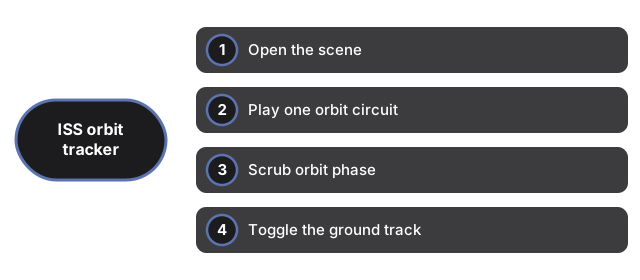
Open the scene
Load the page and Earth appears with a thin atmosphere shell and a blue inclined orbit ring. The 3D engine downloads once and is cached. If WebGL is unavailable, a plain notice appears instead of a broken canvas, and the facts panel still reads normally.
Play one orbit circuit
Press Play orbit to animate the ISS model along the path. At 1x one published 92.9-minute circuit is compressed on screen. Press again to pause on any point for a closer look at the ground track or the inclined ring.
Scrub orbit phase
Move the orbit-phase slider from 0 to 100 percent. The label updates on every move and the ISS jumps to that point along the ring. Scrubbing pauses playback automatically so you can inspect a single subsatellite position.
Toggle the ground track
Press Hide ground track to remove the yellow subsatellite line from Earth; press Show ground track to draw it again. Compare the surface path with the inclined orbit ring in space to see how a 51.64 deg orbit maps onto the globe.
Read the facts panel
The panel lists mean altitude 408 km, orbital period 92.9 min, orbital speed 7.66 km/s, inclination 51.64 deg, and 15.5 orbits per day - NASA published values. A note below states that Earth and orbit sizes are compressed; the table numbers are real.