Initializing, please wait a moment

JSON-Formatter Online Schritt Fuer Schritt

Last reviewed: 2026-07-03


Schnellreferenz fuer Leser, die hier von einer Suche nach "JSON-Formatter online Schritt fuer Schritt" landen. Diese Anleitung ist gepaart mit dem Werkzeug unter JSON-Parser und -Formatter.
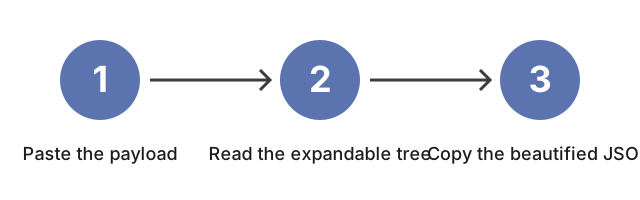
Drei Schritte zum Formatieren von JSON: fuegen Sie die Nutzdaten in den linken Editor ein, lesen Sie den aufklappbaren Baum rechts, kopieren Sie dann das verschoenerte JSON.
Drei Schritte: Nutzdaten einfuegen, den aufklappbaren Baum lesen, dann das verschoenerte JSON kopieren.

Warum das wichtig ist

Diese Anleitung geht den JSON-Parser und -Formatter Panel fuer Panel durch: Fuegen Sie die Payload in den linken Editor ein, sehen Sie zu, wie das rechte Panel einen erweiterbaren Baum rendert, verwenden Sie den Knopf "Copy Beautified JSON", um die eingerueckte Ausgabe abzurufen, und schalten Sie die Einrueckungsbreite um, wenn der Konsument ein strenges Diff-Werkzeug ist. Ein Erstleser sieht, was jede Steuerung tut, bevor er darauf klickt, in der Reihenfolge, die eine echte Sitzung verwendet.


Wie das Werkzeug passt

Oeffnen Sie JSON-Parser und -Formatter und fuegen Sie die Payload in den linken Editor in derselben Reihenfolge ein, in der diese Anleitung liest: das rechte Panel leuchtet den erweiterbaren Baum auf, der Knopf "Copy Beautified JSON" legt die eingerueckte Ausgabe in Ihre Zwischenablage, und der Einrueckungsbreiten-Selektor wechselt zwischen 2 Leerzeichen (diff-freundlicher Standard) und 4 Leerzeichen (Legacy-Stil).

← Zurueck zu den Entwickler-Werkzeugen

Why trust these tools

  • Ten-plus years of web tooling. The freetoolonline editorial team has shipped browser-based utilities since 2015. The goal has never changed: get you to a working output fast, without an install.
  • No install, no sign-up. Open a tool and get a working output in seconds - nothing to download and no account to create. Tools that need heavy processing run it on our service, so even a low-powered machine gets the job done.
  • Analytics stops at the page view. We measure which pages get visited, not what you type or upload inside a tool. There is nothing to sign in to and no profile is attached to your input.
  • Open-source core components. The processing engines underneath (libheif, libde265, pdf-lib, terser, clean-css, ffmpeg.wasm, and others) are public and audit-able. We link to each one in its tool page's footer.
  • Free, with or without ads. All tools are fully functional without sign-up. The Disable Ads button in the header is always available if you need a distraction-free run.

Related tools:

  • MD5 converter - Free online MD5 hash generator and MD5-to-text reverse lookup.
  • Convert PDF to TEXT online - Extract text from PDF online for copying and editing.
  • Text To HTML Editor - Text to HTML editor online - write in a WYSIWYG view and watch the generated HTML update live, with
  • CSS Gradient Animator Generator - CSS gradient generator - build animated linear gradients with live preview; copy ready-to-paste CSS
  • CSS Minifier - Minify CSS online for faster page loads.
  • CSS UnMinifier - CSS unminifier online - beautify minified CSS with proper indentation, line breaks, and readable
  • JavaScript Minifier - JavaScript minifier online free - paste your JS, click Minify, and copy the compressed code.
  • JSON Parser By Tree View - Paste JSON to validate, format, and view it in a tree.
  • JavaScript UnMinifier - JavaScript unminifier online - reformat minified JS with indentation and line breaks for
  • Keyboard Test - Keyboard test online - press each key to highlight it, spot non-working keys, and verify Num Lock,
  • Text Diff - Text diff online - compare two text blocks and highlight added, removed, and changed characters,
  • Developer Tools - Developer tools to parse JSON, minify or unminify CSS/JS, compare text, and generate MD5 hashes.

Tags: #guide, #developer, #json, #parser, #formatter

Related guides: