Initializing, please wait a moment
Como Usar Aurora 3D Explorer
Sube el Kp de ensenanza, mira el ovalo expandirse hacia el ecuador y lee altitudes verde 557.7 nm / rojo 630.0 nm en el panel.
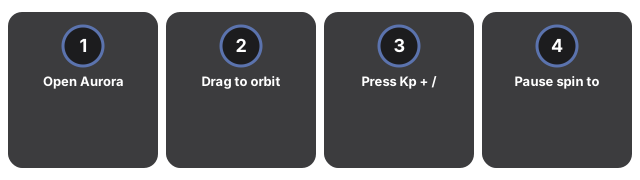
- Abre Aurora 3D Explorer y espera Tierra y el ovalo brillante.
- Arrastra para orbitar el lado nocturno; manten el panel de hechos visible.
- Pulsa Kp + / Kp - y observa el ovalo hacia latitudes mas bajas.
- Pausa el giro para comparar bandas verde (~90-150 km), roja (~200-300 km) y purpura.
- Reinicia a Kp 3 y repite para fijar las altitudes de emision.
Why trust these tools
- Ten-plus years of web tooling. The freetoolonline editorial team has shipped browser-based utilities since 2015. The goal has never changed: get you to a working output fast, without an install.
- No install, no sign-up. Open a tool and get a working output in seconds - nothing to download and no account to create. Tools that need heavy processing run it on our service, so even a low-powered machine gets the job done.
- Analytics stops at the page view. We measure which pages get visited, not what you type or upload inside a tool. There is nothing to sign in to and no profile is attached to your input.
- Open-source core components. The processing engines underneath (libheif, libde265, pdf-lib, terser, clean-css, ffmpeg.wasm, and others) are public and audit-able. We link to each one in its tool page's footer.
- Free, with or without ads. All tools are fully functional without sign-up. The Disable Ads button in the header is always available if you need a distraction-free run.