Initializing, please wait a moment

Penghapus Latar AI - Panduan Langkah demi Langkah

Hapus latar gambar dalam tiga langkah dengan Penghapus Latar AI. Seluruh proses berjalan di browser - gambar Anda tidak pernah diunggah ke server.

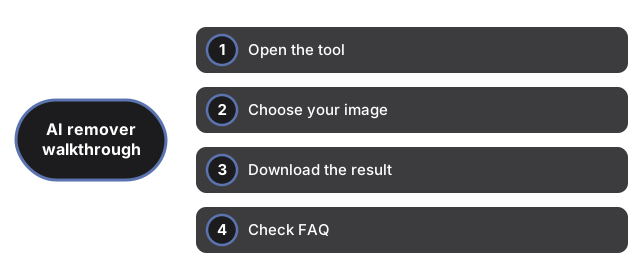
Langkah 1 - Buka alat

Kunjungi Penghapus Latar AI. Tidak diperlukan masuk atau instalasi.

Langkah 2 - Pilih gambar

Klik pemilih file dan pilih gambar Anda (PNG, JPG, atau WebP). Pratinjau langsung muncul di canvas sebelum pemrosesan dimulai. Pada penggunaan pertama, mengklik Hapus latar memicu unduhan satu kali model AI (sekitar 40 MB), yang disimpan cache untuk penggunaan berikutnya.

Langkah 3 - Unduh hasilnya

Klik Hapus latar. Browser memproses gambar secara lokal. Setelah selesai, tombol Unduh PNG muncul dengan hasil PNG transparan.

Format input apa yang didukung?

Pemilih menerima PNG, JPG, WebP dan format lain yang didukung browser Anda. Output selalu PNG transparan.

Mengapa penggunaan pertama lebih lama?

Penggunaan pertama mengunduh bobot model AI (sekitar 40 MB). Setelah itu, model disimpan cache dan semua penggunaan berikutnya bersifat instan.
← Kembali ke alat gambar

Why trust these tools

  • Ten-plus years of web tooling. The freetoolonline editorial team has shipped browser-based utilities since 2015. The goal has never changed: get you to a working output fast, without an install.
  • No install, no sign-up. Open a tool and get a working output in seconds - nothing to download and no account to create. Tools that need heavy processing run it on our service, so even a low-powered machine gets the job done.
  • Analytics stops at the page view. We measure which pages get visited, not what you type or upload inside a tool. There is nothing to sign in to and no profile is attached to your input.
  • Open-source core components. The processing engines underneath (libheif, libde265, pdf-lib, terser, clean-css, ffmpeg.wasm, and others) are public and audit-able. We link to each one in its tool page's footer.
  • Free, with or without ads. All tools are fully functional without sign-up. The Disable Ads button in the header is always available if you need a distraction-free run.

Related tools:

  • AI Background Remover - AI Background Remover - Remove the background from an image in your browser - your image never

Related guides:

Loading reviews...