Konverter Video HD Online Langkah Demi Langkah
Editorial TeamGunakan Konverter Video HD untuk mengemas ulang video antar container (MP4, WebM, MOV) atau mengkode ulangnya secara opsional - semuanya di browser via FFmpeg.wasm tanpa mengunggah file.
Mengapa ini penting
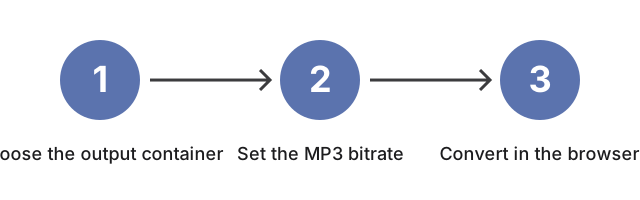
Mengapa ini penting untuk HD Online Video Converter: pilih container keluaran dan remux vs re-encode sebelum menjatuhkan file, karena dua pilihan itu menentukan apakah konversi tetap cepat atau menghabiskan waktu untuk encode baru.
| Bitrate MP3 | Terbaik untuk | Ukuran perkiraan / menit |
|---|---|---|
| 128 kbps | Kata-kata, podcast | ~0,9 MB/mnt |
| 192 kbps | Musik umum | ~1,4 MB/mnt |
| 256 kbps | Musik berkualitas tinggi | ~1,9 MB/mnt |
| 320 kbps | Pengarsipan | ~2,4 MB/mnt |
Bagaimana alat ini cocok
Bagaimana alat ini cocok: buka HD Online Video Converter, jatuhkan sumber, setel container sesuai perangkat atau target sosial, lalu jalankan konversi agar unduhan cocok dengan container dan re-encode opsional dari panduan ini.
← Kembali ke alat konversi gambar
Kontrol lanjutan (enkode ulang opsional)
Selain penggantian kontainer di atas, alat ini menyediakan kontrol opsional yang mengenkode ulang video alih-alih hanya mengemas ulang. Pilih codec video (H.264, H.265, atau VP9), atur tingkat kualitas dari 1 (terbaik) hingga 5 (terkecil), pilih resolusi atau preset vertikal 9:16 (atau ukuran kustom), atur laju bingkai, tambahkan efek fade masuk dan keluar, atau bagi keluaran menjadi segmen berdurasi tetap. Masing-masing berjalan dengan cara yang sama - sepenuhnya di browser Anda melalui FFmpeg.wasm, tanpa unggah. Enkode ulang memakan waktu lebih lama daripada pengemasan ulang dan menulis ulang video, jadi gunakan saat Anda butuh berkas lebih kecil, codec atau resolusi tertentu, klip vertikal untuk feed ponsel, atau beberapa segmen pendek alih-alih satu berkas panjang.