
Advanced encoding options (codec, quality, resolution, audio, fps, split)
Drop an HD video or audio file, choose the target format from the dropdown, and the conversion runs entirely in your browser through FFmpeg.wasm - no upload, no install, no account. The download link appears once the encode finishes.
In-Browser HD Video Converter
Last reviewed: 2026-09-13
Free Tool Online Editorial TeamConvert HD video to MP4, WebM, MOV, AVI, or MKV - or pull the audio track to MP3, AAC, OGG, FLAC, M4A, or WAV - right in your browser. Files stay on your device: the converter runs locally via FFmpeg.wasm, with no upload, no install, and no account.
Key features
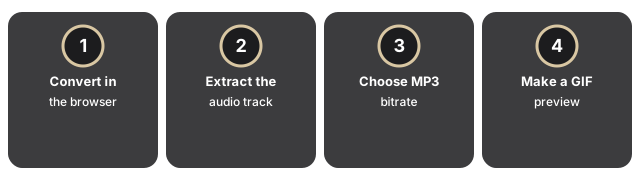
- Convert in the browser. Pick the output format from the dropdown above the file picker, drop the source, and download the result.
- Extract just the audio. Pull the track out as MP3, AAC, OGG, FLAC, M4A, or WAV without sending the source to a server.
- Choose the MP3 bitrate. 128 kbps for a small file, 192 kbps standard (the default), 256 kbps high, or 320 kbps maximum; FLAC and WAV stay lossless and ignore the setting.
- Make a GIF preview. A clip becomes a GIF downsampled to 10 frames per second and 480 px wide, small enough to share.
When to use it
Open the HD Video Converter when you would rather not upload a clip, when the network is slow, or when the source should stay local. It is the right pick when the source file is already in good shape and the only thing between you and a usable copy is a container or codec mismatch - an MP4 a teammate cannot open, or a format an editor rejects.
Advanced controls (optional re-encode)
The container swap above copies the video stream untouched. When a repackage is not enough, the optional controls re-encode instead: pick a video codec (H.264, H.265, or VP9), set a quality level from 1 (best) to 5 (smallest), choose a 720p, 480p, 360p, or 9:16 vertical preset or a custom width and height, set a frame rate, add a fade in and out, or split the output into fixed-length segments. Each one runs in the browser like a plain convert. Re-encoding rewrites the video, so it takes longer than a container swap; reach for it when you need a smaller file, a specific codec or resolution, a vertical clip for a phone-first feed, or several short segments instead of one long file. Leave those controls untouched and the convert stays a fast stream copy.
Making the output file smaller
A container swap alone does not shrink the file. To make it smaller, re-encode with the advanced controls above: raise the quality number toward 5 (smallest), or drop to the 720p, 480p, or 360p preset.
To compare the In-Browser HD Video Converter with server-side converters and cloud upload workflows - and see a decision framework for when each fits your situation - read HD Video Converter vs alternatives: which to pick.
Frequently Asked Questions
What does the HD Video Converter do?
Convert HD video files between common formats in your browser.
When should I use the HD Video Converter?
When you would rather not upload a clip to a server - the conversion runs locally on your device, so it suits private footage, a slow network, or working offline.
What complementary tool works alongside it?
See the original video converter for the server-based version on this site.
Where do my files end up?
Inputs are processed locally and discarded when the page closes.
How do I pick the output format for my HD video?
The target format comes from the page you open or the dropdown above the file picker, and every conversion runs in your browser with no upload. Choose an audio format (MP3, AAC, OGG, FLAC, M4A, or WAV) to pull the audio track out of a clip, and set the MP3 bitrate first if you want it - 128 kbps keeps the file small, 192 kbps is the standard default, 256 kbps is high, and 320 kbps is the maximum. Choose a video container (MP4, WebM, MOV, AVI, or MKV) to repackage the footage without re-encoding, so the original bitrate, frame rate, and resolution stay exactly as they were. Choose GIF to turn a clip into a short 10 fps, 480 px wide preview that is small enough to share.