
Upload the file, enter a start and end time in seconds or mm:ss format (for example 90 or 1:30), and click Download once the status line reads Done. Leave the end time blank to trim from the start time to the end of the file.
Online Video Trimmer
FreetoolOnline editorial teamTrim a video to the time range you need, right in the browser - no upload, no install, and no account. Pick an MP4, MOV, or WebM file, set a start and end time, and the tool cuts out everything outside that range.
What Video Trimmer does
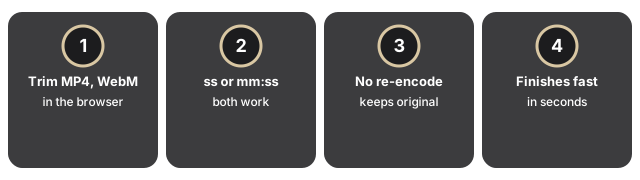
- Trim any MP4, MOV, or WebM file to a start and end time, right in the browser.
- Enter times in seconds, mm:ss, or h:mm:ss format - for example 90, 1:30, or 1:05:30 for a longer file; leave the end time blank to trim from the start time to the end of the file.
- Set the in and out points on the timeline and preview the cut before you export it.
- The cut keeps the original resolution, bitrate, and codec exactly as they were, because it does not re-encode the file.
- Only the parts outside your chosen range are removed, and the process finishes in seconds rather than minutes.
Privacy and data handling
The file never leaves this browser tab. FFmpeg runs as a WebAssembly module loaded once per session, so the video is read, cut, and written back to a downloadable file entirely on this device.
Related tools and guides
For a guide on when trimming in the browser fits and when a desktop editor makes more sense, see when to use an online video trimmer.
Trimming a clip without losing quality
Video Trimmer selects a time range instead of re-encoding every pixel, which is why the exported clip matches the source frame for frame. Only a later step changes that - if you convert the trimmed clip to another format afterwards, that step does re-encode, so keep the bitrate high enough for wherever the clip is going.
Depth: the stream-copy trim, container by container
Whatever you type in the Start and End fields is converted to a second count, and the trim then runs the argument pattern -ss start -to end -c copy, so FFmpeg copies the existing video and audio streams instead of rebuilding them. Because the streams are copied rather than rebuilt, the output keeps the same container and codec and therefore the same extension: an MP4 in stays an MP4 out, a WebM stays a WebM. A 2-minute clip cut from a 40-minute recording finishes in seconds rather than the minutes a full re-encode would take. The engine is served from the same origin at /vendor/ffmpeg/ and the finished clip is handed back through an in-page object URL, so the only network traffic is that one-time engine download.
Frequently Asked Questions
What does Online Video Trimmer do?
Trim a video to the time range you need, right in the browser.
When should I reach for online video trimmer?
Trimming does not re-encode - the original quality and format are kept.
What complementary tools work well alongside online video trimmer?
For converting to a different format instead, see the related-tools section.
What happens if I set an end time before the start time?
The trim is rejected with a message that the end time must be after the start time, so no partial or corrupted file is produced.
What is the trimmed file named?
The download keeps your original file name and adds -trimmed before the extension, so clip.mp4 downloads as clip-trimmed.mp4.
Does the tool download FFmpeg again every time I trim a clip?
No. The FFmpeg engine is about 31MB and loads once per browser session; trimming a second clip in the same session reuses the already-loaded engine instead of downloading it again.