Hd Online Video Converter Vs Alternatives
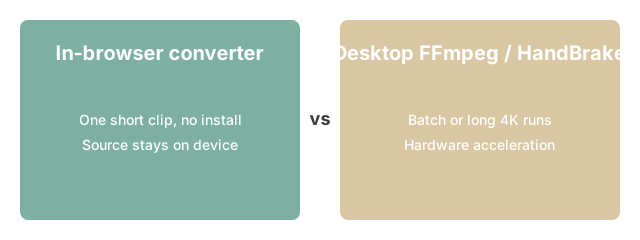
Editorial TeamUse Hd Online Video Converter for one quick clip with no install - FFmpeg-CLI, HandBrake, or VLC win when you have multiple files, long 4K runs, or need hardware acceleration.
Why this matters

Why this matters for Hd Online Video Converter: the browser-FFmpeg approach fits when you want one quick conversion without installing FFmpeg-CLI, VLC, or HandBrake - those desktop alternatives win when you have repeat batch work or need every advanced flag.
| Criteria | Browser tool | FFmpeg-CLI | HandBrake |
|---|---|---|---|
| Install required | No | Yes | Yes |
| Batch processing | 1 file | Unlimited | Yes |
| Practical file limit | ~500 MB | None | None |
| Best for | Quick single clip | Scripts / batch | Quality re-encode |
One note on the batch row: the browser tool adds each new file to the end of the processing queue and works through them one at a time - not in parallel. FFmpeg-CLI can handle a folder of files in a shell loop and saturate all available CPU cores at once. For a queue of dozens of files, the desktop approach finishes faster.
How the tool fits
How the tool fits: if the comparison above lands on the in-browser route, open Hd Online Video Converter, drop the file in, and pick the format you decided on after weighing it against FFmpeg-CLI, VLC, or HandBrake.
Without the codec or quality controls set, the tool wraps the video into the new container without re-encoding - the file size stays close to the source and the conversion finishes in seconds regardless of clip length. If you need to shrink the file or change the codec, set the quality slider and codec manually before starting.
Once you have decided between the in-browser route and a desktop FFmpeg, VLC, or HandBrake build for your specific video job, the next decision down the path is which output container the destination device or platform actually accepts - MP4 for broadest playback, WebM for browser-native delivery, MOV for iOS, MKV when multiple audio tracks need to ride along, or AVI as the legacy fallback. Open Hd Online Video Converter for the browser-only run, or step back to ← the video tools hub to scan sibling video converters, makers, and FFmpeg-online routes before you commit.
For the cases where the browser converter fits - see In-Browser HD Video Converter for the specific file-size and format scenarios where the in-browser route is the right pick.
freetoolonline.com editorial team
Once the comparison table above settles which route fits the job, Hd Online Video Converter runs the pick locally via FFmpeg.wasm with no upload or install, and cross-links to the file-size-specific in-browser guide at In-Browser HD Video Converter for the exact scenarios where that route is the right call. A link at the bottom returns to the video tools hub to scan sibling converters, makers, and FFmpeg-online routes before committing to one.
Why trust these tools
- Ten-plus years of web tooling. The freetoolonline editorial team has shipped browser-based utilities since 2015. The goal has never changed: get you to a working output fast, without an install.
- No install, no sign-up. Open a tool and get a working output in seconds - nothing to download and no account to create. Tools that need heavy processing run it on our service, so even a low-powered machine gets the job done.
- Analytics stops at the page view. We measure which pages get visited, not what you type or upload inside a tool. There is nothing to sign in to and no profile is attached to your input.
- Open-source core components. The processing engines underneath (libheif, libde265, pdf-lib, terser, clean-css, ffmpeg.wasm, and others) are public and audit-able. We link to each one in its tool page's footer.
- Free, with or without ads. All tools are fully functional without sign-up. The Disable Ads button in the header is always available if you need a distraction-free run.