Formatter JSON Online Vs Alternatif
Last reviewed: 2026-07-03
Free Tool Online editorial teamReferensi cepat untuk pembaca yang mendarat di sini dari pencarian "formatter JSON online vs alternatif". Panduan ini berpasangan dengan alat di Parser dan Formatter JSON.
Mengapa ini penting
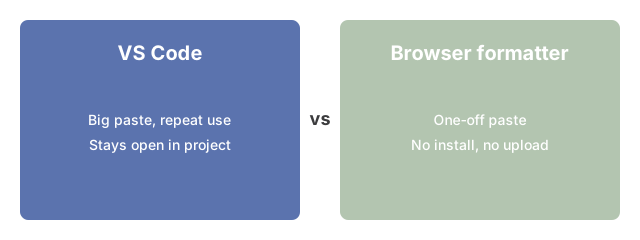
Mengapa ini penting untuk JSON Parser and Formatter: banyak jalur menuju JSON terformat - editor desktop seperti VS Code, jq di command line, JSON.parse di konsol browser, atau alat in-browser. Panduan ini menimbang setiap rute terhadap ukuran paste, kebutuhan privasi, dan seberapa sering Anda memformat.
Kapan jq cocok untuk pipeline shell

Baris perintah jq adalah rute yang tepat ketika langkah format adalah satu tahap dalam pipeline shell yang lebih panjang. Anda membaca file JSON dari disk, menyerahkannya ke jq untuk indentasi atau ekspresi filter, dan menyalurkan output bersih ke perintah berikutnya.
Bagaimana alat ini cocok
Bagaimana alat ini cocok: dengan trade-off di atas, buka JSON Parser and Formatter dan coba rute in-browser. Payload tetap jauh dari server, merender pohon yang bisa diperluas, dan tetap responsif pada ukuran paste yang juga ditangani baik oleh editor desktop atau jq CLI.
Untuk memutuskan situasi mana yang membutuhkan formatter daripada alternatif lainnya, JSON formatter - kapan digunakan memandu keputusan tersebut. Untuk pilihan yang lebih luas antara JSON vs YAML vs TOML dalam file konfigurasi, JSON vs YAML vs TOML - format konfigurasi dijelaskan membahas perbedaan struktural antara ketiga format tersebut.