Hash MD5 di browser - apa yang sebenarnya dilakukan panggilan seperti `common::md5::gethash64string`
`common::md5::gethash64string` adalah panggilan hash MD5 standar - fungsi hash satu arah yang sama yang digunakan generator hash MD5 di sini. Dua panel: Text to MD5 mengubah masukan apa pun menjadi hex 32 karakter; MD5 to Text memeriksa cache - kata umum dan frasa pendek cocok; string unik atau panjang tidak.
Terakhir ditinjau: 2026-06-05
Free Tool Online Editorial Team| Properti | Nilai |
|---|---|
| Format | Alat online, tanpa instalasi |
| Panjang keluaran | 32 karakter heksadesimal (16 byte, 128 bit) |
| Privasi | Hash dihitung di browser; pencarian terbalik dari cache adalah pemeriksaan kamus, bukan dekripsi |
| Alat implementasi | https://freetoolonline.com/developer-tools/md5-converter.html |
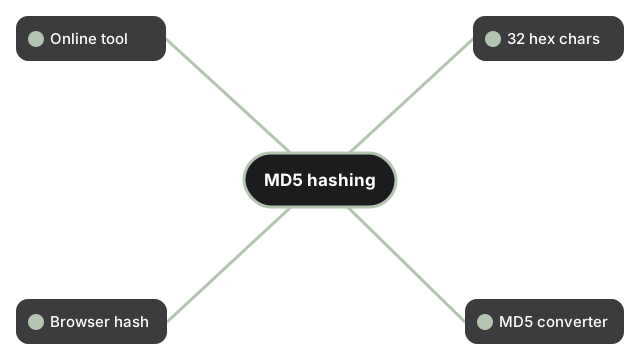
MD5 adalah fungsi hash satu arah: panel pencarian terbalik bekerja dengan memeriksa kamus dari string yang sebelumnya dimasukkan ke dalam hasher, bukan dengan membalikkan hash secara matematis. Untuk kata sandi, jangan pernah mengandalkan MD5 - serangan tabrakan telah ada sejak 2004 dan saran modern adalah bcrypt, scrypt, atau Argon2. Untuk checksum, sidik jari file cepat, atau pengidentifikasi antar-sistem (kasus penggunaan yang biasanya dibungkus oleh helper framework seperti `common::md5::gethash64string`), MD5 masih nyaman dan ada di mana-mana. Keluaran "MD5" sepanjang 64 karakter biasanya berarti framework menggabungkan dua panggilan MD5 atau memasangkan MD5 dengan string hex kedua; MD5 standar itu sendiri selalu 32 karakter hex.
Satu detail penting sebelum Anda meng-hash sesuatu yang sensitif di sini: cache pencarian terbalik dibagikan ke semua pengguna konverter MD5, bukan hanya untuk sesi browser Anda sendiri. Setelah sebuah string masuk ke cache, pengunjung berikutnya yang menempelkan MD5 32 karakter yang sama akan mendapatkan kembali input asli Anda. Perlakukan alat ini sebagai pencarian publik, bukan brankas pribadi - cocok untuk string uji, checksum, dan pengidentifikasi antar-sistem, jangan pernah untuk kata sandi atau apa pun yang tidak ingin Anda berikan kepada orang asing.
Untuk perbandingan lengkap algoritma mana yang cocok untuk setiap kasus, lihat MD5 alternatives - bcrypt, Argon2id, SHA-256: when each fits. Jika Anda perlu memeriksa apakah string MD5 32 karakter yang sudah ada memetakan kembali ke plaintext yang diketahui, baca MD5 decode - apa artinya sebenarnya dan ke mana harus pergi. Jika tautan unduhan browser tidak muncul setelah mengonversi, lihat tautan unduhan tidak muncul setelah konversi - lima perbaikan.