Konverter Video HD Online Vs Alternatif
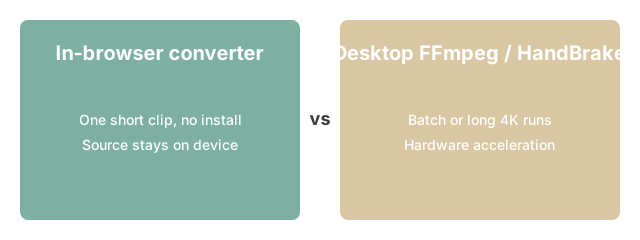
Editorial TeamGunakan Konverter Video HD Online untuk satu klip cepat tanpa instalasi - FFmpeg-CLI, HandBrake, atau VLC lebih baik ketika Anda memiliki banyak file, video 4K panjang, atau membutuhkan akselerasi perangkat keras.
Mengapa ini penting

Mengapa ini penting untuk Hd Online Video Converter: pendekatan browser-FFmpeg cocok saat Anda ingin satu konversi cepat tanpa memasang FFmpeg-CLI, VLC, atau HandBrake - alternatif desktop menang untuk kerja batch berulang atau saat Anda butuh setiap flag lanjutan.
| Kriteria | Alat browser | FFmpeg-CLI | HandBrake |
|---|---|---|---|
| Perlu instalasi | Tidak | Ya | Ya |
| Pemrosesan batch | 1 file | Tak terbatas | Ya |
| Batas file praktis | ~500 MB | Tidak ada | Tidak ada |
| Terbaik untuk | Satu klip cepat | Skrip / batch | Re-encode berkualitas |
Satu catatan tentang baris batch: alat browser menambahkan setiap file baru ke akhir antrian dan memprosesnya satu per satu - bukan secara paralel. FFmpeg-CLI dapat memproses folder file dalam loop shell dan menggunakan semua inti CPU yang tersedia sekaligus. Jika antriannya panjang, pendekatan desktop selesai lebih cepat.
Bagaimana alat ini cocok
Bagaimana alatnya cocok: jika perbandingan di atas mengarah ke rute in-browser, buka Hd Online Video Converter, jatuhkan file, dan pilih format yang Anda putuskan setelah menimbangnya terhadap FFmpeg-CLI, VLC, atau HandBrake.
Tanpa kontrol codec atau kualitas yang diatur, alat membungkus video ke dalam container baru tanpa re-encode - ukuran file tetap dekat dengan sumber dan konversi selesai dalam hitungan detik terlepas dari panjang klip.
Untuk kasus di mana konverter browser sesuai, lihat Konverter video HD di browser untuk skenario ukuran file dan format spesifik di mana jalur dalam browser adalah pilihan yang tepat.
freetoolonline.com editorial team