Solar Wind Heliosphere 3D Explorer - When to Use It, Controls, and Alternatives
freetoolonline.com editorial team
Open the Solar Wind Heliosphere 3D Explorer when you need the outer solar-system bubble - termination shock ~94 AU, heliopause ~121 AU, Voyager 1's 2012 crossing - and skip it when you need a full MHD heliosphere run. It is free and runs in the browser.
The controls, in the order you will use them
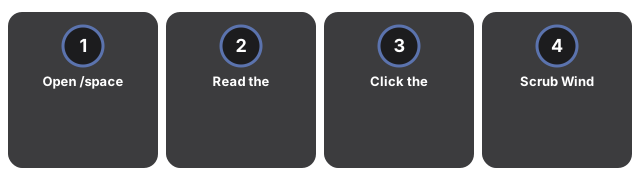
Open the Solar Wind Heliosphere 3D Explorer and wait for the Sun plus the nested cyan and magenta spheres. Read the facts panel for termination shock ~94 AU, heliopause ~121 AU (Voyager 1, 2012), and wind ~400 km/s. Click the cyan shock sphere, the magenta heliopause, or the Voyager marker for boundary details. Scrub Wind between 200 and 800 km/s and watch the outward particle-stream rate change. Press Pause wind to freeze the particles, Hide labels to clear the AU callouts, then AU table for the summary.
A five-minute classroom demo
A five-minute classroom demo starts when you open Solar Wind Heliosphere 3D Explorer, scrub the wind speed toward 400 km/s, and pause so students see the particle stream pass through the termination shock before reaching the heliopause where Voyager 1 crossed.
Boundary literacy in Solar Wind Heliosphere 3D Explorer
Boundary literacy in Solar Wind Heliosphere 3D Explorer stays readable when you keep the facts panel open for ~94 AU and ~121 AU while clicking the Voyager 1 marker for its 2012 readout.
| Boundary / quantity | Value |
|---|---|
| Termination shock | ~94 AU |
| Heliopause | ~121 AU (Voyager 1, 2012) |
| Solar wind near Earth | ~400 km/s (range 200-800) |
How Solar Wind Heliosphere 3D Explorer compares
This page shows the shock and heliopause spheres plus a wind particle stream in the browser. Fact sheets win for citations; MHD codes win for physics fidelity.
| Option | Strength | Access | Trade-off |
|---|---|---|---|
| Solar Wind Heliosphere 3D (this explorer) | 94 / 121 AU spheres + wind scrubber | Free, in browser | Compressed scale / not MHD |
| NASA Voyager mission pages | Crossing dates and published distances | Free web | No interactive nested spheres |
| Textbook heliophysics chapter | Shock physics and interstellar pressure | Book / courseware | No clickable Voyager marker |
Sessions Solar Wind Heliosphere 3D Explorer does not fit
Sessions Solar Wind Heliosphere 3D Explorer does not fit are MHD equation solving, heliosheath structure forecasting, or precise Earth-position geometry. Use Solar System 3D for the inner planets or Aurora 3D Explorer for solar-wind effects at Earth.