Conversor de Video HD Online Quando Usar
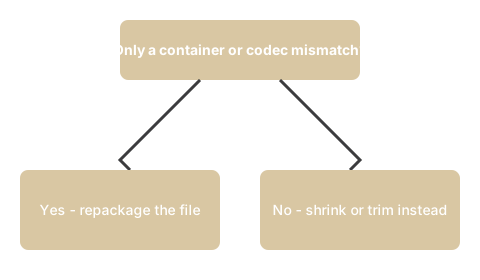
freetoolonline editorial teamUse o conversor de video HD quando um arquivo de video precisa apenas mudar o container ou codec - por exemplo MP4 para WebM ou MOV para MKV - sem re-codificar. Pule quando precisar reduzir o tamanho, cortar ou alterar a resolucao.
| Situacao | Ferramenta |
|---|---|
| Incompatibilidade de container ou codec (MP4, WebM, MOV, MKV) | Conversor de video HD |
| Extrair faixa de audio (MP3, AAC, OGG, FLAC, M4A, WAV) | Conversor de video HD |
| Reduzir tamanho do arquivo | Compressor de video |
| Cortar ou aparar um clipe | Editor de video |
| Alterar resolucao ou qualidade | Compressor de video |
Por que isso importa
Por que isso importa para Hd Online Video Converter: use quando o arquivo-fonte ja esta em boa forma e a unica coisa entre voce e uma copia usavel e um descompasso de container ou codec - um MP4 que um colega nao abre, ou um formato que seu editor rejeita.
Como a ferramenta se encaixa
Abra a ferramenta em Conversor de Video HD Online, solte sua entrada e escolha a opcao que corresponde ao que voce leu aqui.
Se voce esta comparando o conversor de video HD com outras ferramentas para o mesmo trabalho, conversor de video HD vs alternativas compara as opcoes com as vantagens e desvantagens de cada uma.