Moon Phases 3D Explorer vs Ung Dung Thien Van
freetoolonline.com editorial team
Seeing lunar phases as a Sun-Earth-Moon geometry lesson takes one page load in the Moon Phases 3D Explorer - 0 MB installed, USD 0, no account. An installed planetarium app costs setup time and disk space, and pays off when you need tonight's sky.
The numbers side by side
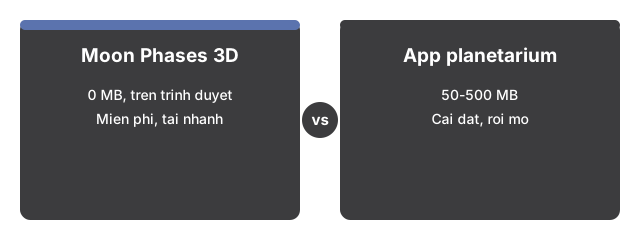

| Aspect | Moon Phases 3D Explorer | Typical planetarium app |
|---|---|---|
| Install size | 0 MB - runs in the browser | 50 to 500 MB |
| Time to first view | Seconds - one page load | Minutes - download and setup |
| Price | USD 0 | USD 0 to 30+ |
| Works on a phone | Yes - lighter scene on small devices | Varies by app |
Where the browser scene wins
The browser scene wins for Moon Phases 3D when everything runs locally with WebGL. For teaching why phases happen - the 29.53-day synodic cycle, the 2.2-day gap vs the 27.32-day sidereal orbit, and the 384,400 km mean distance in the same view - it is the faster route than installing a planetarium just to spin a lit sphere.
Where a planetarium app wins
A planetarium app wins over Moon Phases 3D when you need the real sky tonight: exact phase time, rise and set, libration, and star backgrounds. This page is an educational approximation with compressed scale and no ephemeris.
A reasonable rule
Use the browser scene for geometry intuition in under a minute; use a planetarium app for observational planning. The NASA figures in the panel - 29.53 days synodic, 27.32 days sidereal, 384,400 km, 5.14 degrees - stay accurate either way.
See when to use Moon Phases 3D Explorer for session fit.