Planet Size Comparison 3D Explorer - Khi Nào Nên Dùng, Các Bước và So Sánh
ban biên tập freetoolonline.comPlanet Size Comparison 3D Explorer vẽ Mặt Trời và cả tám hành tinh thành những khối cầu có kích thước dựa trên bán kính trung bình do NASA công bố, từ Mặt Trời 696,340 km xuống tới Sao Thủy chỉ 2,440 km. Cảnh chạy ngay trong trình duyệt này, không cần cài đặt và không cần tài khoản: kéo để xoay quanh dãy hành tinh, lăn chuột hoặc chụm hai ngón để phóng to, rồi bấm nút của một thiên thể để làm nổi bật nó và đọc bán kính.
Cách so sánh hai hành tinh theo từng bước
Ba động tác là đủ cho một lượt so sánh đầy đủ trong Planet Size Comparison 3D Explorer. Thứ nhất, chờ dòng trạng thái bên dưới khung hình báo rằng bạn có thể kéo để xoay và lăn chuột để phóng to; bảng thông tin mở ra với Trái Đất đã được làm nổi bật sẵn cùng bảng liệt kê cả chín bán kính. Thứ hai, bấm Sao Mộc để làm nổi bật khối cầu 69,911 km của nó, rồi bấm Trái Đất 6,371 km, trong khi tiêu đề bảng thông tin đổi sang thiên thể bạn chọn và máy ảnh tiến lại gần hơn. Thứ ba, bấm Pause spin để đóng băng dãy hành tinh cho một ảnh chụp màn hình, hoặc Play spin để nó quay chậm. Chế độ toàn màn hình vẫn giữ các nút thiên thể và bảng thông tin trong tầm nhìn khi bạn xoay và phóng to.
Chín bán kính mà bảng thông tin liệt kê
| Thiên thể | Bán kính trung bình (NASA) |
|---|---|
| Mặt Trời | 696,340 km |
| Sao Thủy | 2,440 km |
| Sao Kim | 6,052 km |
| Trái Đất | 6,371 km |
| Sao Hỏa | 3,390 km |
| Sao Mộc | 69,911 km |
| Sao Thổ | 58,232 km |
| Sao Thiên Vương | 25,362 km |
| Sao Hải Vương | 24,622 km |
Bán kính của mỗi khối cầu luôn tỉ lệ với con số ở dòng tương ứng, nên bước nhảy kích thước từ Trái Đất sang Sao Mộc là tỉ lệ thật chứ không phải một hình vẽ ước lệ. Cảnh lấy Sao Mộc làm thang tham chiếu, nhờ đó các hành tinh vòng trong vẫn đủ lớn để nhìn thấy bên cạnh Mặt Trời.
Một buổi trình diễn năm phút trên lớp
Buổi trình diễn năm phút là tình huống Planet Size Comparison 3D Explorer phục vụ tốt nhất: mở trang, làm nổi bật Sao Mộc 69,911 km, rồi tới Trái Đất 6,371 km và để cả lớp thấy bước nhảy kích thước của khối cầu. Pause spin cho một khung hình tĩnh để giảng, còn bảng thông tin trả lời ngay câu hỏi tiếp theo về Mặt Trời 696,340 km so với Sao Thủy 2,440 km mà không phải rời khỏi cảnh. Không có gì được cài đặt và không có bước đăng nhập nào làm gián đoạn giờ học, nên một máy tính dùng chung ở lớp cũng chạy giống như máy tính cá nhân.
So với các cảnh Space 3D khác
| Tiêu chí | Planet Size Comparison 3D Explorer | Solar System 3D Explorer | Moon Phases 3D Explorer |
|---|---|---|---|
| Nội dung thể hiện | Chín thiên thể trên một dãy theo tỉ lệ bán kính thật | Các hành tinh chuyển động quanh Mặt Trời | Hình học pha giữa Mặt Trời, Trái Đất và Mặt Trăng |
| Kích thước khối cầu | Đúng tỉ lệ, Trái Đất 6,371 km cạnh Sao Mộc 69,911 km | Bị nén lại để các quỹ đạo vừa một màn hình | Không phải phép so sánh kích thước |
| Chuyển động | Chỉ có vòng quay, không có chuyển động quỹ đạo | Có chuyển động quỹ đạo | Chạy qua một tháng giao hội |
| Cài đặt và giá | 0 MB, USD 0, không cần tài khoản | 0 MB, USD 0, không cần tài khoản | 0 MB, USD 0, không cần tài khoản |
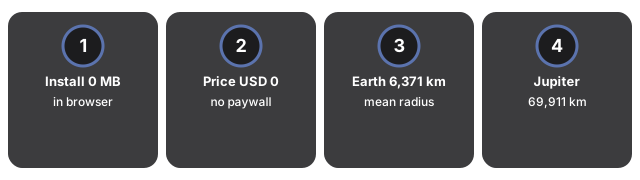
So với một sơ đồ tĩnh in trong sách, khác biệt nằm ở chỗ chín bán kính đó vẫn đọc được trong khi bạn kéo để xoay, làm nổi bật một thiên thể và tạm dừng vòng quay. Ứng dụng bầu trời trả lời một câu hỏi khác, là các thiên thể đang ở đâu trên trời đêm nay, và thường đòi cài đặt trước.
Những trường hợp cảnh này không phù hợp
Một số nội dung cần cảnh khác. Planet Size Comparison 3D Explorer không thể hiện chuyển động quỹ đạo, không đặt các thiên thể ở khoảng cách thật tới Mặt Trời và không so sánh khối lượng, nên phần khoảng cách trong hệ quy chiếu Mặt Trời và các câu hỏi về khối lượng thuộc về nơi khác. Để xem hành tinh chuyển động trên quỹ đạo với khối cầu bị nén, hãy dùng Solar System 3D Explorer. Để xem hình học pha giữa Mặt Trời, Trái Đất và Mặt Trăng, hãy dùng Moon Phases 3D Explorer. Cảnh cũng cần trình duyệt hỗ trợ WebGL mới dựng hình được.
Câu hỏi thường gặp
Tôi có phải cài đặt gì để dùng cảnh 3D này không?
Không. Mọi thứ được dựng hình trong trình duyệt, trên chính thiết bị của bạn. Không có bước cài đặt, không cần tài khoản và không có gì được tải lên máy chủ.
Làm sao đặt hai hành tinh cạnh nhau?
Bấm nút của một thiên thể bất kỳ để làm nổi bật nó và đọc bán kính trung bình theo NASA trong bảng thông tin, rồi kéo để xoay và lăn chuột hoặc chụm hai ngón để phóng to cho tới khi cả hai thiên thể cùng nằm trong khung hình.
Khoảng trống giữa các khối cầu có phải khoảng cách thật không?
Không. Chỉ bán kính là đúng tỉ lệ. Khoảng cách giữa các thiên thể được chọn sao cho cả dãy vẫn đọc được trên một màn hình, vì vậy hãy xem đây là phép so sánh kích thước chứ không phải bản đồ Hệ Mặt Trời.
Ai cập nhật bài hướng dẫn này?
Ban biên tập FreetoolOnline đối chiếu bài viết với cảnh đang chạy và kiểm tra lại các bán kính được nêu. Ngày rà soát nằm ngay dưới tiêu đề ở đầu trang.
Để xem chu kỳ của Mặt Trăng thay vì kích thước các hành tinh, hướng dẫn khi nào nên dùng Moon Phases 3D Explorer so sánh tháng giao hội 29,53 ngày với tháng thiên văn 27,32 ngày.
Why trust these tools
- Ten-plus years of web tooling. The freetoolonline editorial team has shipped browser-based utilities since 2015. The goal has never changed: get you to a working output fast, without an install.
- No install, no sign-up. Open a tool and get a working output in seconds - nothing to download and no account to create. Tools that need heavy processing run it on our service, so even a low-powered machine gets the job done.
- Analytics stops at the page view. We measure which pages get visited, not what you type or upload inside a tool. There is nothing to sign in to and no profile is attached to your input.
- Open-source core components. The processing engines underneath (libheif, libde265, pdf-lib, terser, clean-css, ffmpeg.wasm, and others) are public and audit-able. We link to each one in its tool page's footer.
- Free, with or without ads. All tools are fully functional without sign-up. The Disable Ads button in the header is always available if you need a distraction-free run.