Retro FPS Online spielen - Schritt fuer Schritt
Die Seite Retro FPS Online laeuft mit vollstaendigem Freedoom in WebAssembly. Kampagne waehlen, einmaligen Download abwarten, in diesem Browser spielen und speichern. .ftolfps exportieren, um den Fortschritt auf einen anderen PC zu bringen.
Schritt 1 - Karten lesen
Kampagne 1 (36 Level), Kampagne 2 (32 Level) und Import erscheinen sofort. Kein Netz bis zum Klick.
Schritt 2 - eine Kampagne klicken
Der einmalige Download landet in IndexedDB. Vor diesem Klick wird nichts geholt.
Schritt 3 - Titelbildschirm
Nach dem Download das Spielmenue. Spaetere Besuche starten aus IndexedDB und funktionieren offline.
Schritt 4 - speichern und exportieren
Esc oeffnet Save/Load. Export erzeugt .ftolfps; Import auf einem anderen PC prueft die Engine-Version.
Schritt 5 - Grenzen
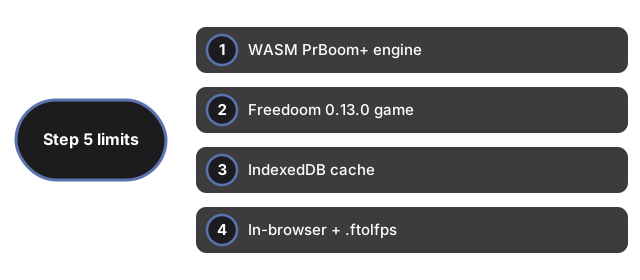
Kampagnenwechsel laedt die Seite neu. Kein Multiplayer, keine Accounts. Touch-only-Handys sind nicht das Ziel. Site-Daten loeschen entfernt Cache und Saves.
| Punkt | Wert | Notiz |
|---|---|---|
| Engine | WASM | PrBoom+-Familie |
| Spiel | Freedoom 0.13.0 | Freie Lizenz |
| Cache | IndexedDB | Pro Engine-Version |
| Saves | Browser + .ftolfps | Export/Import |
| Input | Tastatur + Maus | Fokus auf dem Screen |
Siehe wann spielen, Vergleiche und Retro Arcade Shooter.
Why trust these tools
- Ten-plus years of web tooling. The freetoolonline editorial team has shipped browser-based utilities since 2015. The goal has never changed: get you to a working output fast, without an install.
- No install, no sign-up. Open a tool and get a working output in seconds - nothing to download and no account to create. Tools that need heavy processing run it on our service, so even a low-powered machine gets the job done.
- Analytics stops at the page view. We measure which pages get visited, not what you type or upload inside a tool. There is nothing to sign in to and no profile is attached to your input.
- Open-source core components. The processing engines underneath (libheif, libde265, pdf-lib, terser, clean-css, ffmpeg.wasm, and others) are public and audit-able. We link to each one in its tool page's footer.
- Free, with or without ads. All tools are fully functional without sign-up. The Disable Ads button in the header is always available if you need a distraction-free run.