
Pick Terminal for a shell that is ready in seconds after a one-time download, or Desktop for a taskbar, file manager, text editor and terminal; either way the download is cached in this browser and later visits start from local storage.
Linux Online - Run Linux in Your Browser (Terminal & Desktop)
FreetoolOnline editorial teamA real Linux command line - and a full graphical desktop - running inside this page, with nothing to install and no account to create.
Key features
Key features of Linux Online: two one-click machines, cached instant-start boots, and full keyboard/mouse control of the emulated screen.
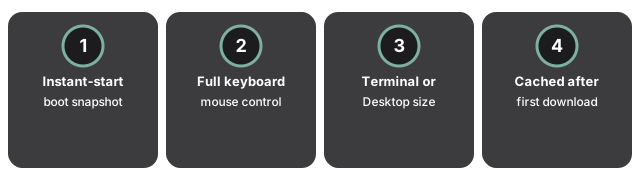
- Instant-start snapshots: the page restores a machine state saved by the build pipeline right after boot, so the wait is the download, not the boot.
- Click the screen to type - the keyboard releases the moment you click away - with a pointer-lock mouse in Desktop mode, a Ctrl+Alt+Del button, fullscreen, Stop, and the CPU automatically pauses while the tab is hidden.
- Terminal states its one-time download size (about 100 MB) before anything downloads and boots to a command line in seconds; Desktop (a few hundred MB) boots to a taskbar, file manager, text editor and terminal.
- Both machines cache their download in this browser afterward, so a later visit starts from local storage instead of downloading again.
It is genuine Alpine Linux on an emulated 32-bit PC - vi, sh, htop and the rest behave exactly as on real hardware, at roughly the pace of a late-1990s machine: the terminal feels quick, the desktop is deliberate.
Privacy and data handling
Everything you type and run stays on your device - the emulated machine has no network access, and the page only ever downloads the disk image itself from the project's public image site when you ask it to start.
New to the tool? Run Linux in your browser step by step names every button from the first click to a saved session file. Not sure this fits your job? When to run Linux in your browser covers the tasks it handles well and the ones it does not. For a direct comparison with virtual machine apps and live USB sticks, see browser Linux vs the alternatives.
Frequently Asked Questions
What does Linux Online actually run?
A real Linux command line - and a full graphical desktop - running inside this page, with nothing to install and no account to create. It is genuine Alpine Linux booted by an emulator, not a simulated look-alike terminal.
How fast is the emulated machine?
It is genuine Alpine Linux on an emulated 32-bit PC - vi, sh, htop and the rest behave exactly as on real hardware, at roughly the pace of a late-1990s machine: the terminal feels quick, the desktop is deliberate.
Does anything I type leave my browser?
No. Everything you type and run stays on your device - the emulated machine has no network access, and the page only ever downloads the disk image itself from the project's public image site when you ask it to start.
How do I keep my work or continue on another computer?
Save the session in this browser and continue later, or export it as a .ftolvm file and import that file on any other computer to resume the exact machine - open programs included. A session also auto-saves in this browser every 5 minutes (toggleable), on top of the manual Save button, so a crashed tab or a closed laptop lid loses at most a few minutes of work.
What happens if I break something inside the machine?
Nothing permanent. The machine's changes live in saved sessions, not in the downloaded image - so a fresh start is always one click away.
Does the Ctrl+Alt+Del button actually reach the guest OS?
Yes. It sends the real BIOS scancode sequence to the emulator - the same bytes a physical keyboard would send - not a simulated key combination the guest has to interpret.