Initializing, please wait a moment
When to use Celestial Coordinate Systems 3D Explorer
Use this explorer when you need to see how a published RA/Dec position relates to what is actually above your horizon - and skip it when you only want star patterns or the Sun path.
- Classroom demos of why stars rise and set while their RA/Dec stay fixed
- Showing how the celestial pole altitude equals the observer latitude
- Introducing the 23.44 degree obliquity of the ecliptic
This is an educational grid visualization at the J2000 epoch, not a live star catalog or planetarium.
Celestial coordinate key figures
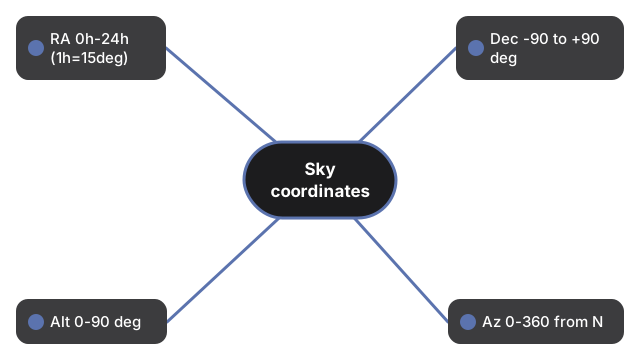
Celestial coordinate key figures in one view: Coordinate Systems Sky shows right ascension 0h-24h, declination -90 to +90 deg, plus altitude and azimuth ranges for horizon work.
| Coordinate | Range |
|---|---|
| Right Ascension (RA) | 0h-24h eastward (1h = 15 deg) |
| Declination (Dec) | -90 to +90 deg |
| Altitude (Alt) | 0-90 deg |
| Azimuth (Az) | 0-360 deg from North |
| Ecliptic obliquity | 23.44 deg (J2000) |
Walk the controls in the step-by-step guide, or compare options in vs alternatives. Open the Celestial Coordinate Systems 3D Explorer.
Why trust these tools
- Ten-plus years of web tooling. The freetoolonline editorial team has shipped browser-based utilities since 2015. The goal has never changed: get you to a working output fast, without an install.
- No install, no sign-up. Open a tool and get a working output in seconds - nothing to download and no account to create. Tools that need heavy processing run it on our service, so even a low-powered machine gets the job done.
- Analytics stops at the page view. We measure which pages get visited, not what you type or upload inside a tool. There is nothing to sign in to and no profile is attached to your input.
- Open-source core components. The processing engines underneath (libheif, libde265, pdf-lib, terser, clean-css, ffmpeg.wasm, and others) are public and audit-able. We link to each one in its tool page's footer.
- Free, with or without ads. All tools are fully functional without sign-up. The Disable Ads button in the header is always available if you need a distraction-free run.