How to Use the Annual Meteor Shower Calendar 3D Explorer - Step by Step
Open the Annual Meteor Shower Calendar 3D Explorer, drag the day slider or pick a shower from the list, then read the facts panel to see its real peak date, strength, and whether it is active right now.
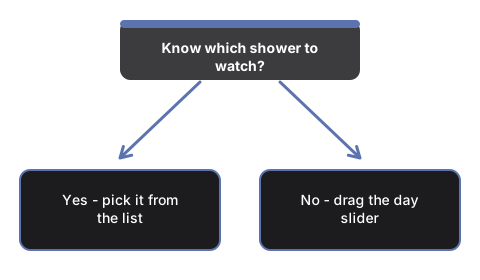
Pick a shower from the list
Open #t3dAmcShowerSelect and choose any of the 12 major annual showers. The dial jumps straight to that shower's real published peak day, and the facts panel fills with its peak date, zenith hourly rate (ZHR), radiant, and parent body.
Or drag the day slider yourself
Drag #t3dAmcDaySlider (0 to 365, one value per day of the year) to any day. The Earth marker moves around the calendar-dial ring to match, and any shower marker whose real activity window covers that day turns bright yellow and grows.
Jump to today
Press #t3dAmcTodayBtn to snap the dial to your device's real current date and see which showers, if any, are active today.
Play through the year
Press #t3dAmcPlayBtn to let the dial advance on its own through the whole year, or press it again to pause and scrub manually.
Read the marker colors
Blue markers trace back to a comet; orange markers trace back to an asteroid - only the Quadrantids and the Geminids fall in that second group. Any marker turns bright yellow when the scrubbed day falls inside its published activity window.
Drag to orbit and use fullscreen
Drag to orbit the camera, scroll or pinch to zoom, and use the Fullscreen button to expand the whole wrapper for a clearer view of all 12 markers around the dial.
Next: see when to use this explorer or how it compares to the Meteor Shower Radiant 3D Explorer.
Why trust these tools
- Ten-plus years of web tooling. The freetoolonline editorial team has shipped browser-based utilities since 2015. The goal has never changed: get you to a working output fast, without an install.
- No install, no sign-up. Open a tool and get a working output in seconds - nothing to download and no account to create. Tools that need heavy processing run it on our service, so even a low-powered machine gets the job done.
- Analytics stops at the page view. We measure which pages get visited, not what you type or upload inside a tool. There is nothing to sign in to and no profile is attached to your input.
- Open-source core components. The processing engines underneath (libheif, libde265, pdf-lib, terser, clean-css, ffmpeg.wasm, and others) are public and audit-able. We link to each one in its tool page's footer.
- Free, with or without ads. All tools are fully functional without sign-up. The Disable Ads button in the header is always available if you need a distraction-free run.