On-Device Paraphrasing vs Cloud Rewriters
freetoolonline.com Editorial TeamThree common ways to reword a passage: a cloud paraphraser, the grammar page next door, and an on-device page like the AI Paraphrasing Tool. They are not interchangeable - each wins on a different axis: where the text travels, what the first run costs, and how much polish comes back.
What the on-device page actually is
It rewrites a pasted passage in one of four tones - Neutral, Formal, Casual, or Simpler wording - while preserving the meaning, and it does the work on your own device. Where Chrome ships the built-in Rewriter AI the rewrite costs zero download; elsewhere a small open model loads after one explicit click, with its size shown before the download starts. A status line names which engine produced every output, and nothing you paste is uploaded on any path.
Against a cloud paraphraser
A cloud service runs the rewrite on its own servers - that is what makes it cloud - so your text makes the round trip, and an account often stands between you and the button. What it buys is the strength of a much larger model. The on-device page states its own bound plainly: the small 1-3B models produce a solid first draft, worth a review before sending or publishing, because a small model can occasionally drop a nuance or flatten a detail a larger cloud rewriter would keep.
So the split is honest on both sides. Text that must not leave your machine belongs here; text where maximum polish is the only criterion, and the content is not sensitive, can justify the round trip. There is deliberately no middle path - the page has no cloud fallback, so no setting quietly uploads your text.
Against the AI Grammar Checker next door
The two pages divide one writing task between them. The AI Grammar Checker fixes errors while keeping your exact wording; this page changes the wording on purpose, in the tone you pick. If a paragraph is correct but stiff, paraphrase it. If it is friendly but broken, check it. The two pages cross-link both ways, so the wrong entrance still leads to the right tool.
Against a plagiarism rewriter
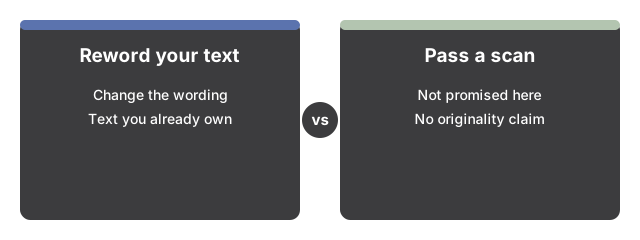
Some rewriters are marketed as a way to make copied text pass an originality scan. This page makes no such claim in either direction: it is not a plagiarism remover, and nothing about a rewrite is promised to pass any plagiarism or originality check. What it offers is wording control over text you are entitled to rework - your own drafts, your own messages.
The comparison in one table
| Axis | This on-device page | Cloud paraphraser | AI Grammar Checker (this site) |
|---|---|---|---|
| Where your text goes | Stays on your device on every path | Processed on the service's servers | Stays on your device |
| First cost | 0 download where built-in AI exists; otherwise one model download, size shown first | Often an account; plans vary by service | Same ladder: zero to one download |
| Input per run | Up to 8,000 characters on the model path | Varies by plan | Up to 8,000 characters |
| What changes | The wording, in 1 of 4 tones; meaning preserved | The wording; controls vary | Only the errors; your wording preserved |
Where the honest line sits
Four boundaries hold no matter which comparison brought you here. Rewrites are validated for English only. Input beyond 8,000 characters is cut to fit on the model path, and the output label says so when it happens. There is no document upload - paste text, not files. And "works offline" is not claimed: the model weights are cached after the first download, so repeat runs skip it, but the page itself still loads like any web page.
Where to go from here
To see the run control by control - the prepared sample pair, the tone dial, the one-time model download - follow Paraphrase Text On Your Device - Step by Step. For the decision of when the on-device route is worth it at all, start at On-Device Paraphrasing Tool - When To Use It.
Why trust these tools
- Ten-plus years of web tooling. The freetoolonline editorial team has shipped browser-based utilities since 2015. The goal has never changed: get you to a working output fast, without an install.
- No install, no sign-up. Open a tool and get a working output in seconds - nothing to download and no account to create. Tools that need heavy processing run it on our service, so even a low-powered machine gets the job done.
- Analytics stops at the page view. We measure which pages get visited, not what you type or upload inside a tool. There is nothing to sign in to and no profile is attached to your input.
- Open-source core components. The processing engines underneath (libheif, libde265, pdf-lib, terser, clean-css, ffmpeg.wasm, and others) are public and audit-able. We link to each one in its tool page's footer.
- Free, with or without ads. All tools are fully functional without sign-up. The Disable Ads button in the header is always available if you need a distraction-free run.