
Drop two photos of the same aquarium - one from before, one from now - and this page measures which one is clearer, names the cloudiness pattern and lists what to do next. Or drop a short clip to see how active your fish are and where they swim. Everything is read on this device: nothing is uploaded.
Image 1 - earlier state (before)
Drag a photo here or click to choose
Image 2 - current state (after)
Drag a photo here or click to choose
Or one short video of your fish (MP4, MOV, M4V or WebM, including iPhone HEVC)
Drag a clip here or click to choose - 15 to 30 seconds from a steady phone works best.
| Metric | Before | After | Delta |
|---|
What to do next
Example comparison (bundled sample photos). The same stylized tank, day 1 with a milky bloom and day 4 after it cleared - exactly what the tool measures when you press the sample button above:

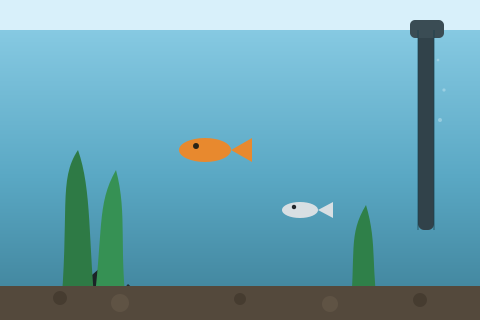
| Metric | Day 1 | Day 4 | Delta |
|---|---|---|---|
| Optical state | Uniform milky haze (bloom pattern) | Crystal clear | Improved |
| Clarity score (0-100) | 15 | 67 | +52 pts |
| Haze (shadow lift) | 100% | 26% | Less scatter |
| Edge sharpness | 5 | 94 | Background crisper |
Verdict for day 1: even, low-texture haze across the frame - the classic look of a heterotrophic bacterial bloom. Suggested steps at that point: halve feeding for 48 hours, keep surface agitation high, and do not deep-clean the filter. By day 4 the numbers show it had cleared.
Example clip report (bundled sample clip). A 14-second synthetic clip of fish holding just under the surface, as the sample clip button reports it:
| Measure | Sample clip |
|---|---|
| Pattern | Surface crowding pattern |
| Moving fish visible at once (approximate) | 4 (range 3-4) |
| Share of movement in the surface band (top 12% of the water) | 100% |
| Median swimming speed | 0.33 body lengths per second |
First steps for that pattern: more surface agitation, then test ammonia and nitrite and check the temperature.
Aquarium Water Checker - Compare Before & After Photos
The Aquarium Water Checker compares two photos of the same fish tank taken at different times and measures which one is clearer. It scores each photo's optical clarity from 0 to 100, names the cloudiness pattern it sees, and lists prioritized next steps. A short video of the tank gets a movement report instead. Everything runs in your browser, and nothing is uploaded.
Why compare two photos instead of judging one
Eyes are poor at judging slow change. You look at the tank every day, so a haze that built up over a week reads as normal, and a bloom that is already fading still looks alarming. Two photos taken days apart make the change visible again: the swipe-to-compare slider lets you scrub between the before and after states, and the measured numbers say whether clarity moved up or down and by how much. That settles the better-or-worse question after a water change, a filter cleaning, a bacteria dose or a new tank setup.
What the Aquarium Water Checker measures
Each photo is downscaled onto an invisible canvas and read pixel by pixel. Four measurements drive the report, and the clarity score folds sharpness, haze and contrast into one number you can track week over week.
- Edge sharpness - how crisp the background objects are (a heater, an intake tube, plant stems), because suspended particles soften those edges long before the water looks obviously cloudy.
- Haze - how far the darkest areas have been lifted toward the bright ones. In clear water real shadows stay dark; scattered light from suspended solids fills them in.
- Particle speckle - fine grainy texture in the midtones, which separates mechanical dust from smooth biological haze.
- Color tint - the overall cast: milky, green, amber or neutral.
Reading the cloudiness patterns
The same "cloudy water" complaint has different causes with different fixes, and they look different to a pixel analysis. A uniform milky haze with low speckle is the classic appearance of a heterotrophic bacterial bloom, common in new tanks and after gravel disturbance or overfeeding; the usual response is to feed less and wait rather than to change lots of water. Grainy speckle points to mechanical particles such as unrinsed substrate dust or a stirred-up bottom, which fine filter floss clears in a day or two. A green shift is the free-floating algae direction and responds to a shorter lighting period. A warm amber tint with sharp edges usually means tannins from driftwood or matured water, which is transparent and harmless. The tool phrases each verdict as an optical observation, because that is what a photo can honestly support.
Taking two photos that compare fairly
Shoot both photos from the same spot, at the same angle, under the same lighting - same time of day, same room lights, tank light on in both. Turn off the camera flash, because flash glare rewrites the shadows the haze measurement depends on. Include some fixed background detail such as the filter intake or heater, since those objects are what the sharpness measurement locks onto. The checker measures the exposure difference between your two shots and warns you when they differ too much to score a fair delta; when a photo carries a capture time in its metadata, that is read on your device and used to state how many hours or days apart the two states are.
Checking fish behavior from a short video
Some problems show in how fish move, not in how the water looks. Drop a 15 to 30 second clip instead of two photos and the checker samples its frames on your device, separates what moves from the still background, and reports how active the fish are, how their movement splits between the top, middle and bottom thirds of the frame and the surface band, how much of the time they stay still and how often they dart in sudden bursts. Fish crowding under the surface, resting on the substrate or dashing in panic each leave a different signature. It follows moving shapes rather than recognizing fish, so the number of fish it reports is an estimate of how many moving fish were visible at once, fish that never move are missed, and species are never identified. Prop the phone so it cannot move and frame the whole water column, because bubbles, swaying plants and reflections count as movement too, and judge the result against your species: hatchetfish live at the top and corydoras on the bottom.
Stocking estimate and the optional AI passes
Enter your tank volume and fish counts to add a stocking-pressure estimate to the report: a rule-of-thumb waste load per 10 liters with a band from lightly stocked to overstocked, plus a water-change cadence hint.
Two optional AI passes can help, and both stay local. If your browser ships built-in AI, one click rewrites the measured numbers as a short plain-language assessment with nothing downloaded. Separately, an on-device vision model can look at both photos, cross-check the cloudiness verdict, and suggest which fish it thinks it sees; that model is about 147 MB, downloads only after you click and see the size, is cached by the browser for next time, and its species suggestions only prefill the stocking form for you to confirm or correct. When no AI is available, the full pixel-measurement report works exactly the same.
What a photo cannot tell you
No photograph can measure ammonia, nitrite, nitrate, pH, hardness or temperature. Crystal-clear water can still carry an invisible ammonia spike, and a harmless bacterial bloom can look dramatic while the chemistry stays safe. Treat this checker as your trend instrument between tests: it tells you whether the visible situation is improving or worsening and what pattern the cloudiness matches, while a liquid test kit stays the ground truth for water chemistry. A movement report shows a pattern, never its cause. If fish are gasping at the surface or resting on the bottom with clamped fins, test the water now regardless of what any photo or video shows.
Private by construction
Your photos and clips stay in this browser tab: the pixel and frame analysis, the metadata read, the slider, the report translation and the optional AI passes all execute on your device. No account, no watermark, no image or video ever sent to a server.
Frequently Asked Questions
Are my aquarium photos or videos uploaded anywhere?
No. Photos are read on an invisible canvas and video frames are decoded inside this browser tab, the metadata is parsed on your device, and the optional AI and translation steps also run locally. Nothing is sent to a server.
Can this tool measure ammonia, nitrite or pH?
No, and no photo-based tool can. The checker measures only what a camera can see: sharpness, haze, particle texture and color tint in photos, and movement in a video. Use a liquid test kit for water chemistry; use this page to track whether the visible situation is improving between tests.
How does it tell a bacterial bloom from gravel dust?
By texture. A bacterial bloom scatters light evenly, so the frame shows a smooth milky haze with little fine grain. Suspended dust and silt produce high-frequency speckle in the midtones. The report names which pattern the current photo matches and adjusts its suggested steps accordingly.
Why does it say my photos are not comparable?
The two shots differ too much in overall brightness, which usually means different lighting rather than different water. Retake one photo from the same spot at the same time of day with the same lights, and run the comparison again.
What exactly does the optional 147 MB AI download do?
It fetches an on-device vision model (CLIP) once, after you click and see the size. The model cross-checks the cloudiness verdict against what it sees and suggests which fish may be in the photo; those suggestions only prefill the stocking form, and you confirm or correct the counts yourself. The browser caches the model, so the next visit does not download it again.
Does the clarity score work for saltwater and planted tanks?
Yes. The measurements are about how light passes through the water, not about what lives in it. Heavily tinted blackwater setups will read as amber by design, and dense plant walls give the sharpness metric less background to lock onto, so keep some hardscape or equipment visible in the frame.
Where does the capture time under each photo come from?
From the photo's own metadata, read on your device. Screenshots and images passed through chat apps often have that field stripped; the tool then falls back to the file date and says so instead of guessing.
How accurate is the stocking-pressure estimate?
It is a rule-of-thumb waste-load calculation from the species and counts you enter against the tank volume, in the spirit of classic stocking guidelines. It flags obvious overstocking, such as goldfish in a nano tank, but it is an estimate for planning, not a biological measurement.
Which video formats work, including iPhone HEVC clips?
MP4, MOV, M4V and WebM clips work, including the HEVC (H.265) video recent iPhones record. Safari, and Chrome or Edge on hardware with HEVC decoding, read it directly; other browsers can decode it on your device with a video engine of about 32 MB, downloaded only after you click. Up to the first 30 seconds of a clip are analyzed, and the report says how many seconds it used.
Can I read the report in another language?
Yes. Pick one from the report language list and the verdict, table and next steps redraw without analyzing anything again. English, Vietnamese, Portuguese, Spanish, Indonesian and German are written into the page. Other languages are machine-translated on your device, by the browser's built-in translator or by an optional model whose size is shown before it downloads, and are labeled as machine translations.