When to Use the Sputnik Planitia 3D Explorer - Best Sessions and Limits
freetoolonline.com Editorial Team
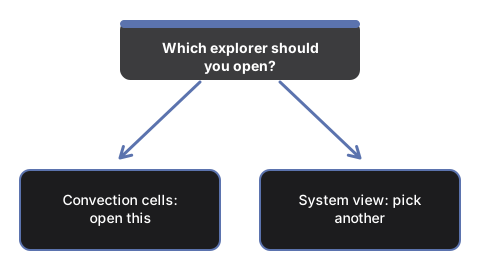
Open Sputnik Planitia 3D Explorer when you want to see why part of Pluto's surface looks young and nearly crater-free, or to teach how solid nitrogen ice can flow like a very slow glacier - not to run a fluid-dynamics simulation or see individual real convection cells mapped one-to-one from New Horizons imagery.
A convection-cycle lesson
A lesson starts at 0% and scrubs the convective-cycle slider to 100% to watch cells rise, brighten, sink, and darken through one full overturn, then presses "Highlight troughs" to call out the narrow boundaries between cells.
Sessions this explorer does not fit
Sessions this page does not fit are following the 2015 flyby mission itself - use the New Horizons Pluto Flyby 3D Explorer for that - or exploring the orbital dance between Pluto and its largest moon - use the Pluto-Charon Double Planet 3D Explorer. Walk the controls in the step-by-step guide.
Why trust these tools
- Ten-plus years of web tooling. The freetoolonline editorial team has shipped browser-based utilities since 2015. The goal has never changed: get you to a working output fast, without an install.
- No install, no sign-up. Open a tool and get a working output in seconds - nothing to download and no account to create. Tools that need heavy processing run it on our service, so even a low-powered machine gets the job done.
- Analytics stops at the page view. We measure which pages get visited, not what you type or upload inside a tool. There is nothing to sign in to and no profile is attached to your input.
- Open-source core components. The processing engines underneath (libheif, libde265, pdf-lib, terser, clean-css, ffmpeg.wasm, and others) are public and audit-able. We link to each one in its tool page's footer.
- Free, with or without ads. All tools are fully functional without sign-up. The Disable Ads button in the header is always available if you need a distraction-free run.