Hubble Tuning Fork 3D Explorer vs Galaxy 3D Simulator
freetoolonline.com editorial teamBoth pages render real galaxy science in one page load - 0 MB installed, USD 0, no account. The Hubble Tuning Fork 3D Explorer covers the classification SYSTEM that sorts every galaxy into a type; the Galaxy 3D Simulator covers ONE spiral galaxy's own internal structure, scale, and star count in detail.
The numbers side by side
| Aspect | Hubble Tuning Fork Explorer | Galaxy Simulator |
|---|---|---|
| Install size | 0 MB - runs in the browser | 0 MB - runs in the browser |
| Price | USD 0 | USD 0 |
| Scope | 12 galaxy types across the whole classification system | 1 galaxy, rendered in point-count detail |
| What it teaches | How ellipticity (E0-E7), bulge size, arm tightness, and a central bar sort any galaxy into its type | How thin and vast a real spiral galaxy's structure actually is, up to 100,000 rendered points |
| Real-galaxy examples | 7 named galaxies (M87, NGC 2865, NGC 4886, Sombrero, Pinwheel, Andromeda, Milky Way) with a guess-the-type challenge | The Milky Way's own real star count and diameter |
| Interaction | Step through 12 discrete classification rungs, toggle barred vs normal | Regenerate the spiral with a new point count and arm structure |
Where the Galaxy Simulator wins
The Galaxy Simulator wins when the question is what one spiral galaxy's own structure actually looks like at scale - it is the only page on the site letting you regenerate a fresh spiral and feel how structure emerges from sheer point count.
Where the Hubble Tuning Fork Explorer wins
The Hubble Tuning Fork Explorer wins when the question is how ANY galaxy gets sorted into a type - it is the only page on the site walking the actual classification diagram astronomers still use, branch by branch, with real named examples to test yourself against.
A reasonable rule
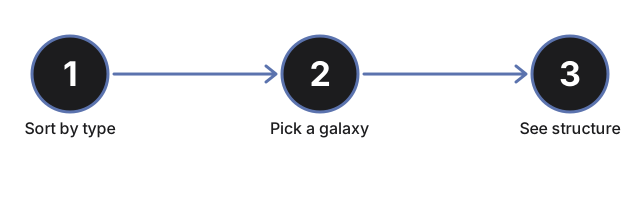
As a reasonable rule, use the Hubble Tuning Fork Explorer first to learn the classification system and where a galaxy like the Milky Way fits in it, then use the Galaxy Simulator to see what one spiral galaxy's own structure looks like up close.
See how to use the Hubble Tuning Fork 3D Explorer for a step-by-step walkthrough.
Why trust these tools
- Ten-plus years of web tooling. The freetoolonline editorial team has shipped browser-based utilities since 2015. The goal has never changed: get you to a working output fast, without an install.
- No install, no sign-up. Open a tool and get a working output in seconds - nothing to download and no account to create. Tools that need heavy processing run it on our service, so even a low-powered machine gets the job done.
- Analytics stops at the page view. We measure which pages get visited, not what you type or upload inside a tool. There is nothing to sign in to and no profile is attached to your input.
- Open-source core components. The processing engines underneath (libheif, libde265, pdf-lib, terser, clean-css, ffmpeg.wasm, and others) are public and audit-able. We link to each one in its tool page's footer.
- Free, with or without ads. All tools are fully functional without sign-up. The Disable Ads button in the header is always available if you need a distraction-free run.