Titan's Methane Weather Cycle 3D Explorer vs Titan Methane Lakes 3D Explorer
freetoolonline.com editorial team
Both pages teach a real Titan figure in one page load - 0 MB installed, USD 0, no account. The Titan's Methane Weather Cycle 3D Explorer scrubs through a season to show HOW methane moves between evaporation, clouds, rain, and accumulation; the Titan Methane Lakes 3D Explorer toggles a haze and a cutaway to show WHERE the seas and subsurface ocean sit.
The numbers side by side
| Aspect | Methane Weather Cycle Explorer | Methane Lakes Explorer |
|---|---|---|
| Install size | 0 MB - runs in the browser | 0 MB - runs in the browser |
| Price | USD 0 | USD 0 |
| Key figure | Titan year: about 29.5 Earth years | Kraken Mare: roughly 400,000 sq km |
| What it varies | Season slider (0 to 100), Auto-play | Haze toggle, Cutaway toggle |
| What it answers | How methane moves through the cycle over time | Where the seas and subsurface ocean sit |
| History cited | 2010 Cassini equatorial storm | 2005 Huygens landing |
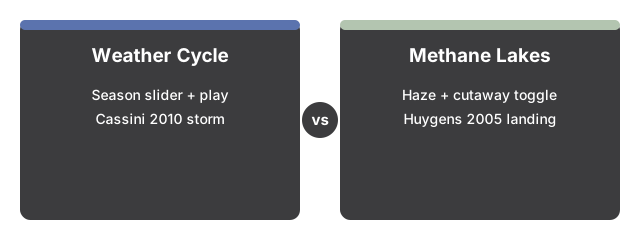
Where the Methane Weather Cycle Explorer wins
The Methane Weather Cycle Explorer wins when the question is about TIME and PROCESS - it is the only page on the site that scrubs through a season to show clouds migrating and rain falling.
Where the Methane Lakes Explorer wins
The Methane Lakes Explorer wins when the question is about LOCATION and STRUCTURE - it toggles a cutaway to show the ice shell and subsurface ocean, which the weather-cycle explorer does not show at all.
A reasonable rule
As a reasonable rule, use the Methane Weather Cycle Explorer first to see how Titan's methane moves through its seasons, then use the Methane Lakes Explorer to see exactly where it ends up.
See how to use Titan's Methane Weather Cycle 3D Explorer for a step-by-step walkthrough.
Why trust these tools
- Ten-plus years of web tooling. The freetoolonline editorial team has shipped browser-based utilities since 2015. The goal has never changed: get you to a working output fast, without an install.
- No install, no sign-up. Open a tool and get a working output in seconds - nothing to download and no account to create. Tools that need heavy processing run it on our service, so even a low-powered machine gets the job done.
- Analytics stops at the page view. We measure which pages get visited, not what you type or upload inside a tool. There is nothing to sign in to and no profile is attached to your input.
- Open-source core components. The processing engines underneath (libheif, libde265, pdf-lib, terser, clean-css, ffmpeg.wasm, and others) are public and audit-able. We link to each one in its tool page's footer.
- Free, with or without ads. All tools are fully functional without sign-up. The Disable Ads button in the header is always available if you need a distraction-free run.