JWST Deployment Sequence 3D Explorer vs JWST L2 Halo Orbit 3D Explorer
freetoolonline.com editorial teamBoth pages scrub a real James Webb Space Telescope story in one page load - 0 MB installed, USD 0, no account. The JWST Deployment Sequence 3D Explorer covers the one-time December 2021 to January 2022 unfolding, from launch to the final mirror-wing lock; the JWST L2 Halo Orbit 3D Explorer covers what happens next - the ongoing, repeating orbit Webb has flown ever since around the Sun-Earth L2 point.
The numbers side by side
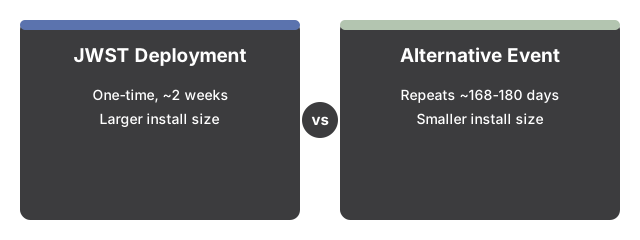
| Aspect | Deployment Sequence Explorer | L2 Halo Orbit Explorer |
|---|---|---|
| Install size | 0 MB - runs in the browser | 0 MB - runs in the browser |
| Price | USD 0 | USD 0 |
| Real event window | 2021-12-25 through 2022-01-08 (about 2 weeks, one time) | Ongoing since deployment - about 168 days (NASA) to about 180 days (STScI) per loop |
| What it teaches | How a folded spacecraft unfolds into its final shape | How an already-unfolded spacecraft stays cold and stable around L2 |
| Key published figures | Sunshield 70x47 ft (21x14 m); 18 mirror segments, 6.5 m primary; 178 release mechanisms | About 1,500,000 km from Earth; station-keeping burns about every 21 days |
| Does it repeat? | No - a historical, one-time sequence, fully concluded by 2022-01-08 | Yes - Webb has flown this loop continuously since deployment finished |
Where the L2 Halo Orbit Explorer wins
The L2 Halo Orbit Explorer wins when the question is where JWST is right now and how it stays there - it is the only page on the site modeling Webb's ongoing station-keeping cadence around the Sun-Earth L2 point.
Where the Deployment Sequence Explorer wins
The Deployment Sequence Explorer wins when the question is how JWST got INTO its final shape in the first place - it is the only page on the site showing the tower, sunshield, and mirror-wing unfolding that had to happen before any orbit could begin.
A reasonable rule
As a reasonable rule, use the Deployment Sequence Explorer first to see how JWST became the observatory it is today, then use the L2 Halo Orbit Explorer to see where that observatory has been flying ever since.
See how to use the JWST Deployment Sequence 3D Explorer for a step-by-step walkthrough.
Why trust these tools
- Ten-plus years of web tooling. The freetoolonline editorial team has shipped browser-based utilities since 2015. The goal has never changed: get you to a working output fast, without an install.
- No install, no sign-up. Open a tool and get a working output in seconds - nothing to download and no account to create. Tools that need heavy processing run it on our service, so even a low-powered machine gets the job done.
- Analytics stops at the page view. We measure which pages get visited, not what you type or upload inside a tool. There is nothing to sign in to and no profile is attached to your input.
- Open-source core components. The processing engines underneath (libheif, libde265, pdf-lib, terser, clean-css, ffmpeg.wasm, and others) are public and audit-able. We link to each one in its tool page's footer.
- Free, with or without ads. All tools are fully functional without sign-up. The Disable Ads button in the header is always available if you need a distraction-free run.