When to Use Atmosphere Escape: Mars 3D Explorer
Open the Atmosphere Escape: Mars 3D Explorer when you want to see WHY and WHEN Mars lost most of its atmosphere - its lost magnetic shield, MAVEN's measured escape rate, and the real solar-storm spike - not just what Mars's air looks like today.
When the Mars atmosphere-escape explorer is the right page
Reach for this page when the question is about cause and timing rather than present-day appearance. It answers a student asking why Mars ended up dry while Earth kept its oceans, a teacher walking a class through NASA MAVEN's 2015 solar-wind-stripping findings, and a reader who wants to connect one cause (Mars losing its global magnetic field) to one effect (the escaping atmosphere) by scrubbing through billions of years instead of reading a research paper first. The timeline view puts the lost magnetic shield, the MAVEN-measured escape rate, and the real solar-storm spike side by side, so the "why" and the "when" land together.
When a sibling Mars or Earth explorer answers it better
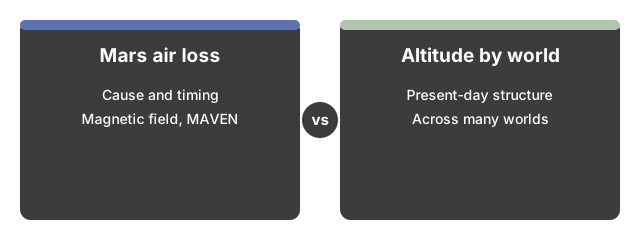
Three neighbouring questions have their own dedicated pages. If you want Mars's present-day atmosphere structure by altitude, compared across several worlds in one frame, that belongs on the Planet Atmosphere Scale Heights 3D Explorer. If you want to see Earth's own still-active magnetic shield rendered in field-line detail (the shield Mars lost), that is the Earth Magnetosphere 3D Explorer. And if you want the shape of the Martian ground itself - Olympus Mons, Valles Marineris, the northern lowlands - that is Mars's surface relief on the Mars Terrain 3D Explorer, not its atmosphere history. To learn the controls on this explorer, walk through the step-by-step guide.
Why trust these tools
- Ten-plus years of web tooling. The freetoolonline editorial team has shipped browser-based utilities since 2015. The goal has never changed: get you to a working output fast, without an install.
- No install, no sign-up. Open a tool and get a working output in seconds - nothing to download and no account to create. Tools that need heavy processing run it on our service, so even a low-powered machine gets the job done.
- Analytics stops at the page view. We measure which pages get visited, not what you type or upload inside a tool. There is nothing to sign in to and no profile is attached to your input.
- Open-source core components. The processing engines underneath (libheif, libde265, pdf-lib, terser, clean-css, ffmpeg.wasm, and others) are public and audit-able. We link to each one in its tool page's footer.
- Free, with or without ads. All tools are fully functional without sign-up. The Disable Ads button in the header is always available if you need a distraction-free run.