When to Use a Random List Shuffler
A random shuffler is the right tool whenever a whole list needs a new order and no single item should get an edge. This guide covers the everyday situations that fit, plus the ones a shuffler is not the right fit for.
freetoolonline.com Editorial TeamRandomizing turn order
Games, meetings, and classroom activities often need a fair speaking or playing order for a group. Paste the names in, click Shuffle, and read the list top to bottom as the order - no one can argue the order favored a particular person, since the swap positions come from the browser's crypto.getRandomValues.
Assigning tasks or seats fairly
Pair a shuffled list of names with a fixed list of tasks or seats and match them line by line. Because the shuffle reorders the whole list at once, everyone's assignment is decided in a single pass rather than one-by-one picks that could look like they favored someone.
Drawing a random pick from a shuffled list
Some readers shuffle a list and then just take the top entry as a single random pick - it works, but a tool built for exactly one pick is usually simpler. See the comparison guide linked below for when a dedicated picker tool fits better.
When this is not the right tool
Random List Shuffler is not the right tool when you need a single-pick result rather than a full list reorder. If you only need ONE random winner from a list, the Wheel Spinner or Random Number Picker is a more direct fit - both are built for a single outcome.
Privacy
Privacy is built into how the shuffler works. Every case above runs entirely in your browser tab. The list you paste is never uploaded anywhere, no account is required, and the page makes no server round-trip while it shuffles.
Companion tools
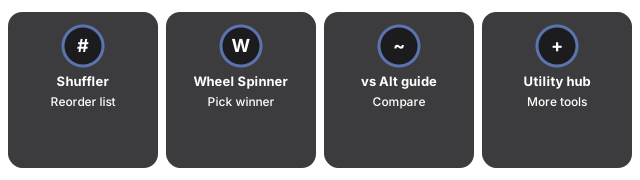
Companion tools for Random List Shuffler cover the adjacent single-pick and fixed-outcome use cases the shuffler does not handle.
- Random List Shuffler - the tool itself.
- Random List Shuffler vs. Alternatives - how it compares to a manual reorder or a spreadsheet formula.
- Wheel Spinner - picks one winner from a list.
- Utility tools hub - the rest of the everyday conversion and generator tools on this site.
Frequently asked questions
Frequently asked questions about the random list shuffler and when to use it.
Should I use this to pick one winner from a list?
You can take the top entry after a shuffle, but a dedicated single-pick tool like the Wheel Spinner or Random Number Picker is a more direct fit for that job.
Is a shuffled order different every time?
Yes. Each click of Shuffle runs an independent Fisher-Yates pass seeded by crypto.getRandomValues, so repeated shuffles of the same list produce different orders.
Can I use this for more than turn order?
Yes. Anything that needs a whole list reordered fairly works - task assignments, seating charts, randomized presentation order, or raffle ticket sequences.
Why trust these tools
- Ten-plus years of web tooling. The freetoolonline editorial team has shipped browser-based utilities since 2015. The goal has never changed: get you to a working output fast, without an install.
- No install, no sign-up. Open a tool and get a working output in seconds - nothing to download and no account to create. Tools that need heavy processing run it on our service, so even a low-powered machine gets the job done.
- Analytics stops at the page view. We measure which pages get visited, not what you type or upload inside a tool. There is nothing to sign in to and no profile is attached to your input.
- Open-source core components. The processing engines underneath (libheif, libde265, pdf-lib, terser, clean-css, ffmpeg.wasm, and others) are public and audit-able. We link to each one in its tool page's footer.
- Free, with or without ads. All tools are fully functional without sign-up. The Disable Ads button in the header is always available if you need a distraction-free run.