Private Text Summarizer vs Alternatives
Text Summarizer - Private, In Your Browser can produce a summary three ways without the text leaving your device: your browser's own summarizer, a small model you load once, or a no-model sentence ranking. A cloud summarizer does the same job on a server after receiving the text.
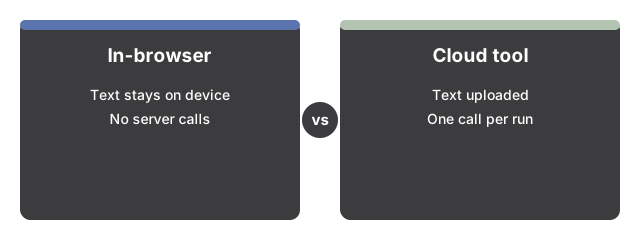
The three engines here against a cloud summarizer
| Point of comparison | Built-in browser AI (engine 1) | On-device model via WebLLM (engine 2) | No-model sentence ranking (engine 3) | Cloud summarizer |
|---|---|---|---|---|
| Where the text goes | Stays in the browser | Stays in the browser | Stays in the browser | Uploaded to the provider |
| First-use download | None - the model already sits on the device | One download of the weights: under 1 GB for the default Llama 3.2 1B, about 2.2 GB for the 3B, about 2.5 GB for Phi 3.5 mini | None - it runs the moment the page opens | None locally; an account is common |
| Server call per run | None | None once the weights sit in the browser cache | None | One per run: no network, no summary |
| Wording you get back | Whatever the browser's own summarizer writes | New sentences from a 1B to 3B model - useful drafts, under the ceiling of a large hosted model | No new wording: the top-scoring source sentences, in document order | New sentences from a large hosted model |
| Length limit the page applies | None - your text goes in as typed | 8000 characters; past that the input is trimmed and the result label says so | None | Set by the provider |
| What the three length options do | Switch the browser's own summarizer between a key-point list and a short or long condensed version | Ask the model for 3 to 6 bullets, 2 to 3 sentences, or 5 to 8 sentences | Return 2 or 5 source sentences, set out as a dash list for the bullet option | Whatever the service exposes |
Which row usually decides it
The first row settles a confidential document on its own: text that must not be uploaded rules the last column out whatever the other rows say. Once privacy is not the question, the deciding number is the first-use download - zero for two of the local engines, up to about 2.5 GB once for the largest on-device model, and nothing at all locally for a hosted service.
Where each option runs out
Engine 3 cannot condense a point the author never put in one sentence, because it only re-orders what it found. Engine 1 exists only in browsers that ship a summarizer and report it ready, so it cannot be planned around. Engine 2 is the one local option that rewrites, and it pays with a download of hundreds of megabytes to a few gigabytes and an 8000-character ceiling per run. A hosted service carries none of those limits and one that outweighs them for private text: it needs a copy of what you wrote.
Why trust these tools
- Ten-plus years of web tooling. The freetoolonline editorial team has shipped browser-based utilities since 2015. The goal has never changed: get you to a working output fast, without an install.
- No install, no sign-up. Open a tool and get a working output in seconds - nothing to download and no account to create. Tools that need heavy processing run it on our service, so even a low-powered machine gets the job done.
- Analytics stops at the page view. We measure which pages get visited, not what you type or upload inside a tool. There is nothing to sign in to and no profile is attached to your input.
- Open-source core components. The processing engines underneath (libheif, libde265, pdf-lib, terser, clean-css, ffmpeg.wasm, and others) are public and audit-able. We link to each one in its tool page's footer.
- Free, with or without ads. All tools are fully functional without sign-up. The Disable Ads button in the header is always available if you need a distraction-free run.