Troodon 3D Viewer vs AR Apps
Troodon 3D Viewer runs Late Cretaceous small theropod WebGL in the browser with no account and no room-scale AR - use a phone AR app for room placement, and a museum for real bone.
Troodon options side by side
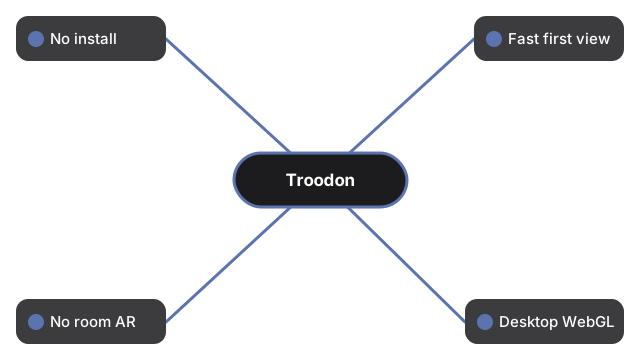
These rows compare what the Troodon viewer actually ships against typical phone AR apps, a museum hall visit, and a still photo:
| Aspect | In-browser 3D viewer | Phone AR app | Museum / static image |
|---|---|---|---|
| Install / download | 0 MB app install; three.js vendored and cached after first load | Often 50 to 500 MB store download | Travel time; or 0 MB for a photo |
| Time to first view | Seconds - one page load; engine lazy-loads after paint; optional glTF may swap in after | Minutes - install, permissions, tracking setup | Hours for a visit; instant for a photo |
| Place in a physical room | No - orbit on a flat screen only | Yes - true AR placement when tracking works | Hall scale in person; none in a photo |
| Desktop without a phone | Yes - current browser with WebGL | Usually no | Photo yes; museum no |
| Published size figures on hand | Yes - length about 1-3 m (panel baseline 2.4 m); hip height about 0.6 m; mass about 10-50 kg (panel baseline 50 kg); about 77-76.5 Mya Late Cretaceous Judith River, Montana; omnivore diet debated; Leidy 1856; genus validity debate disclosed | Varies by app | Labels vary; photo rarely carries full sheet |
| Reconstruction honesty | Feather color artistic; not a fossil-accurate skeleton; genus validity debate disclosed; optional CC-BY-SA 4.0 glTF (seth the yutyrannus via Printables 747521) is stylized, not a laser scan; silent procedural raptor-archetype fallback | Often sells one settled silhouette | Bones are real; color still interpretive |
When the Troodon browser viewer fits
Pick the Troodon browser viewer when you want drag-orbit on a big-brained Late Cretaceous small theropod with Size vs human at the honest 2.4 m panel length ratio, and click facts - without installing anything. Nothing about the visit is sent to a server.
When a phone AR app or museum fits better
A phone AR app wins when you need the silhouette on your living-room floor; this viewer never claims room placement. A museum wins for walking beside real small theropod mounts. A static image wins only when you need a single shareable frame with no interactivity.
What this Troodon comparison is not
This Troodon comparison is a trade-off table for the shipped viewer - it is not a ranking of commercial AR brands, it does not invent AR features the page does not have, it does not invent a single mass outside the published 10-50 kg range (panel baseline 50 kg disclosed), it does not assert Troodon is an uncontested genus name, it does not claim the optional glTF is a scientifically exact reconstruction, and it does not invent game score or win states. For the control walkthrough see how to view Troodon in 3D. For the length and weight numbers beside a 1.8 m person see Troodon size comparison.
Why trust these tools
- Ten-plus years of web tooling. The freetoolonline editorial team has shipped browser-based utilities since 2015. The goal has never changed: get you to a working output fast, without an install.
- No install, no sign-up. Open a tool and get a working output in seconds - nothing to download and no account to create. Tools that need heavy processing run it on our service, so even a low-powered machine gets the job done.
- Analytics stops at the page view. We measure which pages get visited, not what you type or upload inside a tool. There is nothing to sign in to and no profile is attached to your input.
- Open-source core components. The processing engines underneath (libheif, libde265, pdf-lib, terser, clean-css, ffmpeg.wasm, and others) are public and audit-able. We link to each one in its tool page's footer.
- Free, with or without ads. All tools are fully functional without sign-up. The Disable Ads button in the header is always available if you need a distraction-free run.