Online Stopwatch: Step-by-Step Guide
The Online Stopwatch tool times an activity to the hundredth of a second and lists every lap you record. This guide covers what Start, Lap, Stop, and Reset actually do, how the lap list behaves, and what to expect when you pause and resume.
freetoolonline.com Editorial TeamStart, Stop, and resuming a paused run
Start, Stop, and resuming a paused run on Online Stopwatch: Start begins timing from 00:00.00 (or from wherever the display sat after Stop), Stop freezes the count, and Start again resumes from that same pause point without resetting laps.
Recording laps without stopping the clock
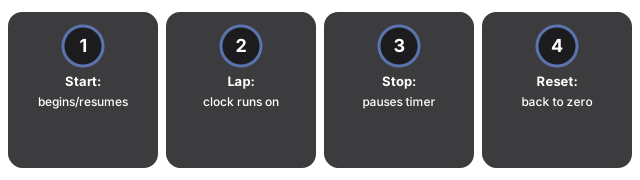
Lap adds the current elapsed time to the list below the display, in the order you click it. Unlike Stop, Lap does not pause anything - the stopwatch keeps counting while the lap list grows, which is what makes it useful for comparing splits during a single continuous run (for example, each kilometre of a run, or each round of an interval workout).
| Control | Effect on the clock | Effect on the lap list |
|---|---|---|
| Start | Begins or resumes counting up | No change |
| Lap | No change - clock keeps running | Appends the current time (e.g. 00:42.17) as a new entry |
| Stop | Pauses at the current value | No change |
| Reset | Returns to 00:00.00 | Clears every recorded lap |
Display precision
The display reads in minutes, seconds, and hundredths of a second (MM:SS.hh), for example 00:42.17. It updates continuously while the stopwatch is running, driven by the browser's own clock rather than a server-side timer.
Stopwatch vs. the countdown timer and clock tools
Stopwatch vs. the countdown timer and clock tools: Online Stopwatch counts up from zero with no end point to measure how long something takes, while Countdown Timer Online counts down from a set duration and the clock tools show wall-clock time.
Common uses
Common uses for Online Stopwatch include timing a workout set, comparing lap splits in a run, cooking or study sessions, rehearsal timing, and any short interval where you need hundredths of a second without installing an app.
What this tool does not do
What this tool does not do: Online Stopwatch is a browser-tab up-counter that does not sync to an atomic time server, does not keep timing after you close the tab, and does not export lap history to a file or account.
Privacy
Privacy on Online Stopwatch means the timer runs entirely in your browser tab: nothing you time or record is uploaded, no account is required, and the page makes no server round-trip while the clock is running.
Companion tools
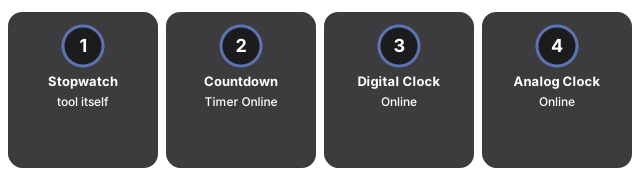
- Online Stopwatch - the tool itself.
- Countdown Timer Online - counts down from a duration you set, instead of counting up.
- Digital Clock Online - a large live HH:MM:SS readout of the current time, not an elapsed timer.
- Analog Clock Online - the same live time as a sweeping clock face.
- Utility tools hub - the rest of the everyday conversion and generator tools on this site.
Frequently asked questions
Does clicking Lap pause the stopwatch?
No. Lap only records the current elapsed time into the list - the clock keeps counting up so you can capture as many splits as you need during one run.
If I click Stop and then Start again, does it restart from zero?
No. Stop pauses at the current value; clicking Start again resumes counting from that same value, so the total keeps adding up instead of restarting.
Does the stopwatch keep running if I switch tabs or close the browser?
Switching to another tab does not stop it - the stopwatch keeps running as long as this tab stays open. Closing the tab, or closing the browser, stops it completely, since there is no background process.
How precise is the display?
The display reads to the hundredth of a second in MM:SS.hh format, driven by the browser's own clock.
Why trust these tools
- Ten-plus years of web tooling. The freetoolonline editorial team has shipped browser-based utilities since 2015. The goal has never changed: get you to a working output fast, without an install.
- No install, no sign-up. Open a tool and get a working output in seconds - nothing to download and no account to create. Tools that need heavy processing run it on our service, so even a low-powered machine gets the job done.
- Analytics stops at the page view. We measure which pages get visited, not what you type or upload inside a tool. There is nothing to sign in to and no profile is attached to your input.
- Open-source core components. The processing engines underneath (libheif, libde265, pdf-lib, terser, clean-css, ffmpeg.wasm, and others) are public and audit-able. We link to each one in its tool page's footer.
- Free, with or without ads. All tools are fully functional without sign-up. The Disable Ads button in the header is always available if you need a distraction-free run.