Translate Text On Your Device - Step by Step
freetoolonline.com Editorial TeamThis walkthrough takes one translation from paste to copied result on AI Translator - Private, In Your Browser. Nothing you type leaves your device at any step: the engine is either the browser's own, a model your browser downloaded once, or a built-in phrasebook.
Step 1 - Open the page and read the sample
On load, before you click anything or download anything, the output panel already shows a sample sentence and its translation. That output is real - it was produced by the same English-to-Spanish model the page offers, captured ahead of time - and it is there so you can judge the output shape before spending a click or a megabyte. A line under the panel labels it as a sample.
Step 2 - Pick the source language, or let the page ask
The source select offers Auto-detect plus twelve named languages. Auto-detect uses the browser's language detector where the browser has one, and it only trusts a clear reading: below 0.5 confidence the page asks you to pick the source language yourself instead of guessing. Naming the language always beats detection when you already know it.
Step 3 - Pick the target
The target list excludes whatever you chose as the source, so an accidental same-to-same run cannot happen. For the downloadable models, English has to be one of the two sides - the pairs cover English with Spanish, French, German, Italian, Portuguese, Indonesian, Vietnamese, Hindi, Chinese, Russian and Arabic. Pick a pair outside that list and the page tells you what the built-in engine can or cannot do for it rather than pretending.
Step 4 - Choose the engine path
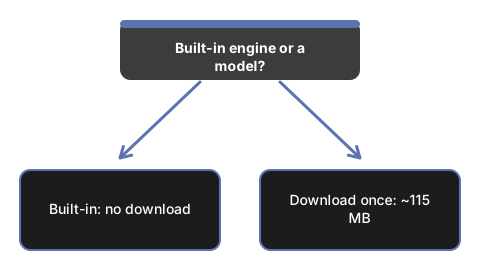
Now the page splits by browser. On Chrome 138 or newer, a status line announced the built-in translation engine when the page loaded; if it covers your pair, skip straight to Step 5 - there is nothing to download from this site. In any other modern browser, click the load button. It is labeled with the exact pair and the size of the download, about 115 MB, before anything is fetched; a progress bar runs while the model arrives, and the browser stores the weights so the next visit skips the wait. If Chrome offers to fetch its own language pack for a pair, the status line says so and names it as the browser's pack, not this site's model.
Step 5 - Paste the text
The input box takes up to 4,000 characters per run - the cap is written in the placeholder, and the error message repeats it if you paste past it. For longer material, split at paragraph boundaries and run the pieces in order; each run's result replaces the last, so copy between runs.
Step 6 - Run, and watch the progress line
Longer input is split into sentence-sized pieces and translated piece by piece, and the status line counts the sentences off as they finish. The line moves with real work - it is not an animation - so a pause on a long sentence means the model is chewing, not that the page has died.
Step 7 - Read the attribution line, then copy
When the run finishes, the line under the output names which engine produced what you are reading: the built-in browser engine, the on-device model with its pair named, or the precomputed sample if you have not run anything yet. One click on the copy button puts the translation on the clipboard. A small model of about 78 million parameters is honest about its own limits - everyday sentences come out solid, idioms and rare pairs deserve a human read before the text goes anywhere important.
The no-download path: eight phrases that always work
Below the main panel sits a phrasebook: eight hand-checked everyday phrases in Spanish, French, German, Italian, Portuguese, Indonesian and Vietnamese, each in the language's native spelling. Pick a phrase, pick a language, and the answer appears with no model, no network and no Chrome requirement. When the whole job is "thank you very much" for a trip, the phrasebook finishes it in two clicks with nothing fetched at all.
The numbers you will see on screen
| Number | Where it appears | Value |
|---|---|---|
| Model size per pair | On the load button, before the download | About 115 MB |
| Input cap per run | In the placeholder and the over-limit message | 4,000 characters |
| Languages in the source select | Source and target lists | 12, plus Auto-detect |
| Phrasebook | Below the main panel | 8 phrases, 7 languages |
| Detection threshold | Behind Auto-detect | 0.5 confidence, else you pick |
After the first successful run with a downloaded pair, that pair keeps working with the connection off - the network was only needed to fetch the weights once.
Not sure this page fits the job at all? Offline AI Translator - When To Use One sorts that out first, and On-Device AI Translator vs Cloud Translators compares this path against the services that upload your text.
Why trust these tools
- Ten-plus years of web tooling. The freetoolonline editorial team has shipped browser-based utilities since 2015. The goal has never changed: get you to a working output fast, without an install.
- No install, no sign-up. Open a tool and get a working output in seconds - nothing to download and no account to create. Tools that need heavy processing run it on our service, so even a low-powered machine gets the job done.
- Analytics stops at the page view. We measure which pages get visited, not what you type or upload inside a tool. There is nothing to sign in to and no profile is attached to your input.
- Open-source core components. The processing engines underneath (libheif, libde265, pdf-lib, terser, clean-css, ffmpeg.wasm, and others) are public and audit-able. We link to each one in its tool page's footer.
- Free, with or without ads. All tools are fully functional without sign-up. The Disable Ads button in the header is always available if you need a distraction-free run.