Satellite Orbit Classes 3D Explorer vs ISS Orbit Tracker
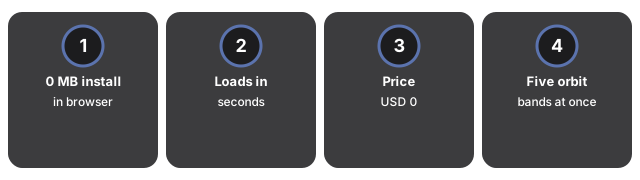
Comparing five real orbit families takes one page load in the Satellite Orbit Classes 3D Explorer - 0 MB installed, USD 0, no account. The ISS Orbit Tracker follows one real spacecraft's LEO orbit and ground track in detail, but it does not compare other orbit bands.
The numbers side by side
| Aspect | Satellite Orbit Classes 3D Explorer | ISS Orbit Tracker |
|---|---|---|
| Install size | 0 MB - runs in the browser | 0 MB - runs in the browser |
| Time to first view | Seconds - one page load | Seconds - one page load |
| Price | USD 0 | USD 0 |
| What it animates | Five orbit bands at once (LEO, MEO, GEO, Molniya, Sun-sync) | One real spacecraft's LEO orbit with a ground track |
Where Satellite Orbit Classes wins
Satellite Orbit Classes wins when the question is "why do different satellites live at different altitudes" - all five bands animate together at their real relative speeds, so a GPS satellite's MEO and a weather satellite's GEO are directly comparable in one view.
Where ISS Orbit Tracker wins
ISS Orbit Tracker wins when the question is about one real spacecraft in detail - it plots a yellow ground track under the station's path and lets you scrub the orbit phase, which a five-band comparison scene does not attempt.
A reasonable rule
As a reasonable rule, use Satellite Orbit Classes to compare orbit families and pick the right band for a mission profile; use ISS Orbit Tracker to study one spacecraft's ground track in detail; use Hohmann Transfer 3D Explorer for the maneuver that moves a satellite between two bands. The published figures in each panel stay accurate either way.
See when to use Satellite Orbit Classes 3D Explorer for session fit.
freetoolonline.com editorial team
Why trust these tools
- Ten-plus years of web tooling. The freetoolonline editorial team has shipped browser-based utilities since 2015. The goal has never changed: get you to a working output fast, without an install.
- No install, no sign-up. Open a tool and get a working output in seconds - nothing to download and no account to create. Tools that need heavy processing run it on our service, so even a low-powered machine gets the job done.
- Analytics stops at the page view. We measure which pages get visited, not what you type or upload inside a tool. There is nothing to sign in to and no profile is attached to your input.
- Open-source core components. The processing engines underneath (libheif, libde265, pdf-lib, terser, clean-css, ffmpeg.wasm, and others) are public and audit-able. We link to each one in its tool page's footer.
- Free, with or without ads. All tools are fully functional without sign-up. The Disable Ads button in the header is always available if you need a distraction-free run.