Reverse text: when it actually helps
The free Reverse Text tool on this site flips a block of text end to end, character by character, right in your browser. This guide walks through the situations where that is genuinely useful, what the reversal does and does not do, and how it compares to a spreadsheet, a terminal, or a short script.
freetoolonline.com Editorial TeamChecking a palindrome
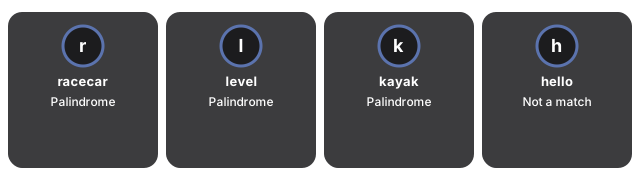
A palindrome is a word or phrase that reads the same forwards and backwards. Paste a single word and click Run; if the output matches your input exactly, it is a palindrome. This works cleanly for single words because the tool compares every character, including case:
| Word | Characters | Reversed | Palindrome? |
|---|---|---|---|
| racecar | 7 | racecar | Yes |
| level | 5 | level | Yes |
| kayak | 5 | kayak | Yes |
| hello | 5 | olleh | No |
| Racecar | 7 | racecaR | No (capital R moves to the end) |
The last row matters: the comparison is case-sensitive, so a capitalized word will not match its own reversal even if the letters are otherwise a palindrome. Classic multi-word palindrome phrases such as "A man a plan a canal Panama" only read as palindromes once you ignore spaces and letter case - a raw character reversal will not match the original, because the spaces and capital letters end up in different positions. Lowercase the phrase and remove the spaces first if you want to test one of those by eye against the tool's output.
Mirrored captions and simple ciphers
Flipping a caption end to end is a quick way to make a mirrored watermark, a novelty social post, or a "read this backwards" puzzle. It is also how the oldest, simplest text ciphers work: write a message, reverse it, and the reader reverses it back with the same tool. Because the reversal includes every character in the box - spaces, punctuation, line breaks - pasting a whole sentence or short paragraph flips as one continuous string, not word by word.
Reverse Text vs a spreadsheet, a terminal, or a script
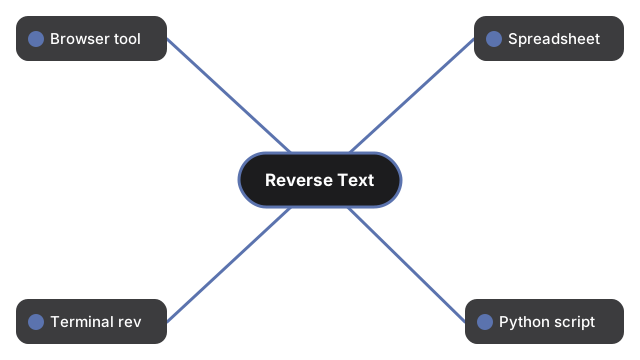
| Method | Setup needed | Reverses a whole paragraph as one string | Works offline / no upload |
|---|---|---|---|
| Reverse Text (this tool) | None - paste and click Run | Yes | Yes |
| Spreadsheet formula | Most spreadsheets have no built-in REVERSE(text) function; needs a nested array formula | Only inside a single cell | No (cloud sheets upload the data) |
Terminal rev command | A terminal | No - rev reverses each line separately and keeps the line order | Yes |
A short script (e.g. Python text[::-1]) | A local interpreter or REPL | Yes | Yes, if run locally |
The spreadsheet route is the most awkward of the four for anything beyond a single short cell, and it usually means the text passes through a cloud service. The rev command is fast in a terminal but reverses each line on its own, so a multi-line paragraph comes back with the lines in their original order and only the characters inside each line flipped - not the same result as reversing the whole block. A short script matches this tool's behavior exactly but needs an interpreter installed. Reverse Text skips all three trade-offs: paste once, click Run, and the whole block flips together.
Privacy
Reverse Text handles privacy by design: reversal runs entirely in your browser tab using plain JavaScript. Nothing you type or paste is uploaded, sent to an analytics service, or written to any server - refreshing or leaving the page clears the box, with no history and no account.
Companion guides
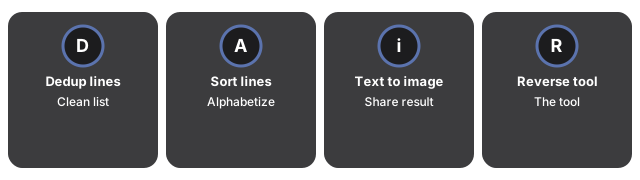
The companion guides below cover related browser-based text tools and the Reverse Text tool itself:
- Remove duplicate lines step by step - another browser-only text tool, for cleaning a pasted list instead of flipping it.
- Sort text lines - alphabetize a list instead of reversing it.
- How to turn text into an image online - render the reversed result as a shareable image.
- Reverse Text tool - the tool itself.
- Developer tools hub - the full set, every one running in-browser with no upload.
Frequently asked questions
Common questions about Reverse Text and how it handles text.
Does reversing text change the order of the words?
No. The tool flips every character in the string, including spaces, so "hello world" becomes "dlrow olleh". It does not shuffle the sequence of words - that would need a different tool.
Why didn't my multi-word phrase come back as a palindrome?
The comparison is exact, character by character, including case and spaces. A phrase that reads as a palindrome "by ear" once you ignore spacing and capitalization will not match a raw reversal unless you strip the spaces and lowercase it first.
Does it reverse each line separately, like the terminal's rev command?
No. It reverses the entire pasted block as one continuous string, including any line breaks inside it - unlike rev, which reverses each line on its own and keeps the lines in their original order.
Is my text uploaded or saved anywhere?
No. Reversal runs entirely in your browser; nothing you type or paste is sent to a server, and nothing is saved once you refresh or leave the page.
Why trust these tools
- Ten-plus years of web tooling. The freetoolonline editorial team has shipped browser-based utilities since 2015. The goal has never changed: get you to a working output fast, without an install.
- No install, no sign-up. Open a tool and get a working output in seconds - nothing to download and no account to create. Tools that need heavy processing run it on our service, so even a low-powered machine gets the job done.
- Analytics stops at the page view. We measure which pages get visited, not what you type or upload inside a tool. There is nothing to sign in to and no profile is attached to your input.
- Open-source core components. The processing engines underneath (libheif, libde265, pdf-lib, terser, clean-css, ffmpeg.wasm, and others) are public and audit-able. We link to each one in its tool page's footer.
- Free, with or without ads. All tools are fully functional without sign-up. The Disable Ads button in the header is always available if you need a distraction-free run.