Event Time Countdown vs Alternatives
Event Time Countdown shares one dated event across timezones as a live, link-carried countdown. The common alternatives are a calendar invite, a world-clock site with hand conversion, or a phone timer. Each handles timezones, sharing, and notifications differently - the table below shows where each wins.
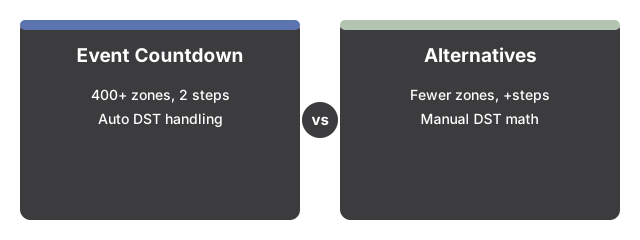
How Event Time Countdown compares
| Aspect | Event Time Countdown (this tool) | Calendar invite | World-clock site + hand math | Phone timer app |
|---|---|---|---|---|
| Timezones selectable | 400+ IANA zones, type-to-search | Usually 50-100 in a dropdown | Depends on site | Local zone only |
| Steps to share with a group | 2 (copy link, paste) | 4+ (create event, add guests, set zone, send) | Manual per person | Not shareable |
| Live ticking display | Yes, updates every 1 second | No | No | Yes |
| Recipient sees their own local time | Yes, automatic | Yes, automatic | No - each person converts | Not applicable |
| Daylight-saving handling | Automatic, from the browser's timezone database | Automatic | Manual - the classic 1-hour mistake | Not applicable |
| Account or sign-in needed | No | Usually yes | No | No |
| Notifications / background alarm | No - ticks only while the tab is open | Yes | No | Yes |
| Where the event is stored | In the link only - no server copy | Provider's cloud | Nowhere | On the device |
Honest tradeoffs
A calendar invite is the better tool when you need reminders and attendance tracking: it notifies, syncs across devices, and lands in everyone's agenda. Event Time Countdown deliberately does none of that - it needs no account, stores nothing about you, and works for a one-off audience (stream viewers, forum readers) that would never accept a calendar invite from a stranger.
Hand conversion with a world-clock site works, but it is the only option in the table where daylight saving is your problem: convert "8 PM Eastern" a week before a DST changeover and it is easy to be an hour off. Event Time Countdown resolves the announced wall-clock time into one exact instant through the browser's timezone database, so the countdown and every zone row stay correct across changeovers.
A phone timer ticks reliably in the background and rings - but it counts a duration, not a calendar moment, and cannot be shared. Its in-browser sibling here is the countdown timer; for pure zone-to-zone conversion without a countdown, use the time zone converter.
Ready to try it? Start with the step-by-step walkthrough.
Why trust these tools
- Ten-plus years of web tooling. The freetoolonline editorial team has shipped browser-based utilities since 2015. The goal has never changed: get you to a working output fast, without an install.
- No install, no sign-up. Open a tool and get a working output in seconds - nothing to download and no account to create. Tools that need heavy processing run it on our service, so even a low-powered machine gets the job done.
- Analytics stops at the page view. We measure which pages get visited, not what you type or upload inside a tool. There is nothing to sign in to and no profile is attached to your input.
- Open-source core components. The processing engines underneath (libheif, libde265, pdf-lib, terser, clean-css, ffmpeg.wasm, and others) are public and audit-able. We link to each one in its tool page's footer.
- Free, with or without ads. All tools are fully functional without sign-up. The Disable Ads button in the header is always available if you need a distraction-free run.