Initializing, please wait a moment
When to use Apollo Landing Sites on the Moon 3D Explorer
freetoolonline.com editorial team
Use this explorer when you want the real coordinates, dates, and crew for the six Apollo landings; skip it when you need a photorealistic lunar terrain map.
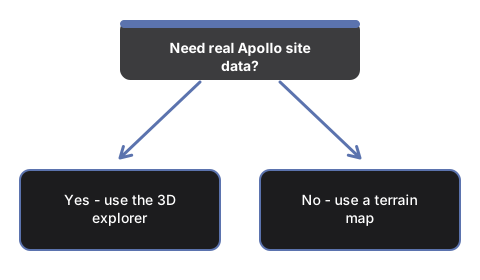
The numbers side by side
| Aspect | Apollo Landing Sites 3D Explorer | Typical alternative |
|---|---|---|
| Install size | 0 MB - runs in the browser | Desktop planetarium app install varies |
| Price | USD 0 | Often paid software |
| Landing sites shown | 6, real NASA coordinates, clickable | Textbook map without interactivity |
- Correcting the idea that all six landings happened close together
- Showing each site's real coordinates, traceable to NASA LRO-based lunar site tables
- Linking each site to the specific mission and astronauts who walked there
This is an educational visualization; the Moon is a smooth procedural sphere and the markers are enlarged for visibility.
Walk the controls in the step-by-step guide, or compare options in vs alternatives. Open the Apollo Landing Sites on the Moon 3D Explorer.
Why trust these tools
- Ten-plus years of web tooling. The freetoolonline editorial team has shipped browser-based utilities since 2015. The goal has never changed: get you to a working output fast, without an install.
- No install, no sign-up. Open a tool and get a working output in seconds - nothing to download and no account to create. Tools that need heavy processing run it on our service, so even a low-powered machine gets the job done.
- Analytics stops at the page view. We measure which pages get visited, not what you type or upload inside a tool. There is nothing to sign in to and no profile is attached to your input.
- Open-source core components. The processing engines underneath (libheif, libde265, pdf-lib, terser, clean-css, ffmpeg.wasm, and others) are public and audit-able. We link to each one in its tool page's footer.
- Free, with or without ads. All tools are fully functional without sign-up. The Disable Ads button in the header is always available if you need a distraction-free run.