AI Background Remover - Step by Step Guide
Remove an image background in three steps using AI Background Remover. The entire process runs in your browser - your image is never uploaded to a server.
freetoolonline.com Editorial TeamStep 1 - Open the tool
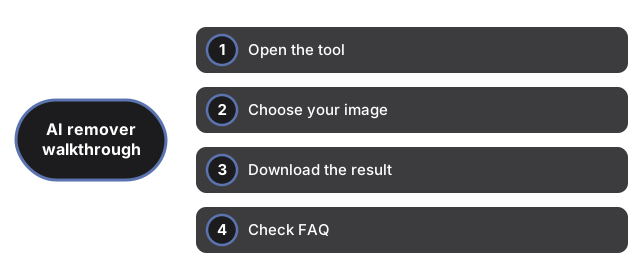
Step 1 - Open the tool at AI Background Remover. No sign-in or install is needed - the page loads the tool interface immediately.
Step 2 - Choose your image
Click the file picker and select your image (PNG, JPG, or WebP). A preview of the image renders on the canvas as soon as you select it - this happens before any AI processing starts.
On the first use, clicking Remove background triggers a one-time download of the AI model (about 26 MB). A status message shows the download progress. The model is cached in your browser's IndexedDB after this first download, so future uses are instant.
Step 3 - Download the result
Step 3 - Download the result as a transparent PNG with the Download PNG button after Remove background finishes - processing stays in your browser.
Frequently asked questions
What image formats are supported as input?
The file picker accepts any image format your browser can display - typically PNG, JPG, WebP, and GIF. The output is always a transparent PNG.
Why does the first run take longer?
The first run downloads the AI model weights (about 26 MB) from the Hugging Face model hub. After that, the model is cached locally and all subsequent runs are instant.
Why trust these tools
- Ten-plus years of web tooling. The freetoolonline editorial team has shipped browser-based utilities since 2015. The goal has never changed: get you to a working output fast, without an install.
- No install, no sign-up. Open a tool and get a working output in seconds - nothing to download and no account to create. Tools that need heavy processing run it on our service, so even a low-powered machine gets the job done.
- Analytics stops at the page view. We measure which pages get visited, not what you type or upload inside a tool. There is nothing to sign in to and no profile is attached to your input.
- Open-source core components. The processing engines underneath (libheif, libde265, pdf-lib, terser, clean-css, ffmpeg.wasm, and others) are public and audit-able. We link to each one in its tool page's footer.
- Free, with or without ads. All tools are fully functional without sign-up. The Disable Ads button in the header is always available if you need a distraction-free run.