How to Visualize Data Online - Make a Chart From Your Numbers
A data visualizer turns rows of numbers into a chart in your browser. Paste CSV, JSON, or simple Label, Value lines, pick a chart type, and see it drawn instantly. Bar, line, pie, and more are all one click away. Everything runs on your device, with no upload and no account.
Last reviewed: 2026-06-16
| Property | Value |
|---|---|
| Format | Online, no install, no sign-up |
| Cost | Free |
| Implementing tool | https://freetoolonline.com/developer-tools/data-visualizer.html |
Steps
- Paste your data as CSV with a header row, JSON, or one "Label, Value" per line - or load a built-in sample with one click.
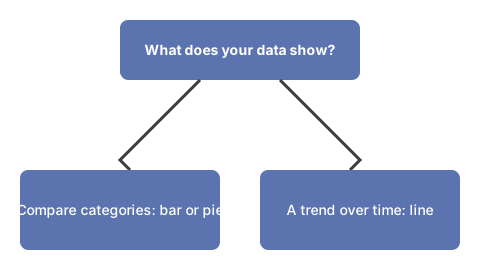
- Pick a chart type: bar, line, pie, doughnut, polar area, radar, scatter, bubble, or stacked bar.
- Give the chart a title, then click Visualize; the chart redraws as you change the type, title, or data.
- Reopen a recent chart from the list - your recent charts are remembered in this browser.
Input formats

Three input shapes are detected automatically. CSV uses a header row with comma or newline separators. JSON can be an array of objects (a name key plus numeric value keys) or a plain key/value object. Simple text is one "Label, Value" pair per line. The example below charts five values as a bar chart.
| Label | Value |
|---|---|
| Mon | 120 |
| Tue | 200 |
| Wed | 150 |
| Thu | 80 |
| Fri | 170 |
On-device AI insight
On a WebGPU browser you can run an optional private AI insight. The small language model downloads once and runs on your device, reads your data, and rebuilds the chart - nothing is uploaded. Without WebGPU the chart engine works on its own, so the tool always draws your data.
Privacy
Everything runs in your browser. There is no upload widget and no account; recent charts are stored only on your device, and your data never leaves the page.
For the structural differences between CSV and JSON as data exchange formats, see CSV vs JSON data formats - covering when each suits APIs, config files, and bulk exports.