Paraphrase Text On Your Device - Step by Step
freetoolonline.com Editorial TeamA full run on the AI Paraphrasing Tool (On-Device) is five controls long: read the sample pair, paste your text, pick a tone, get an engine ready, and copy the rewrite you like. Nothing typed into the page is uploaded at any step - the new wording is produced on your own device.
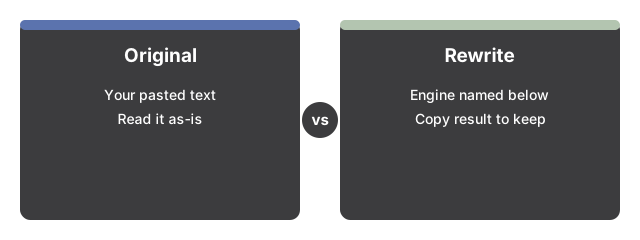
Step 1 - judge the output shape before pasting anything
The page loads with a deliberately wordy sample of about 100 words already sitting in the input box, and its prepared plainer rewrite already rendered below, labeled as prepared ahead of time. No download has happened and no engine has run - the pair exists so you can judge the output shape at zero cost.
That canned pair is guarded. It appears only while the input is byte-identical to the built-in sample; change a single character and your text is treated as your text. It never receives a prepared answer.
Step 2 - paste your text
Replace the sample with your own passage. A live word and character count runs under the box as you type. On the on-device model path a single run accepts up to 8,000 characters; anything longer is cut to fit, and the output label reports the truncation when it happens.
Step 3 - pick a tone
The tone selector offers Neutral, Formal, Casual, and Simpler wording. The meaning of your text is preserved on every setting - the tone only steers how the wording comes out. Friendlier-or-stiffer requests are this dial too: pick Casual to loosen a formal paragraph, or Formal to do the reverse.
Step 4 - get an engine ready
On Chrome versions that ship the built-in Rewriter AI there is nothing to prepare - the page detects it and the rewrite runs with zero download. On every other setup, pick a model and press Load model: Llama 3.2 1B is the default, with Llama 3.2 3B and Phi 3.5 mini as upgrades, and each option shows its download size next to its name before anything starts. A progress bar tracks the one-time download from start to finish.
Step 5 - run it, compare, copy
Press the run button and the result renders below the input, so the original and the rewrite sit one above the other for a direct read-through. The status line under the output names exactly which engine produced it - built-in browser AI, the named on-device model, or the prepared sample demo - so you always know what you are reading. When the rewrite holds up, Copy result puts it on the clipboard. Give it a final read before sending or publishing: a small model can occasionally drop a nuance or flatten a detail.
If the page answers "needs an AI engine"
With no model loaded and no built-in AI available, running your own text produces an honest notice - paraphrasing needs an AI engine - plus the invitation to load the on-device model or use a browser with built-in AI. The page never fakes a rewrite for user text; only the built-in sample has a prepared answer.
The numbers a run works within
| Limit | Value | Where you see it |
|---|---|---|
| Input cap, model path | 8,000 characters | Stated in the page copy; truncation reported in the output label |
| Tone settings | 4 - Neutral, Formal, Casual, Simpler wording | Tone selector next to the input |
| Default model | Llama 3.2 1B | Model picker, smallest first |
| Upgrade models | Llama 3.2 3B, Phi 3.5 mini | Model picker, size shown before download |
| Built-in sample | About 100 words, deliberately wordy | Pre-filled input plus prepared rewrite on load |
Clean up when you are done
The downloaded weights stay cached in the browser, so the next rewrite on this machine skips the download - and the cache plus the last-model choice are shared with the Private AI Chat page. When you want the space back, press "Clear cached models" and the weights are gone.
Where to go from here
Not sure the on-device route is the right call for a given text? On-Device Paraphrasing Tool - When To Use It walks the decision. For the trade-offs against cloud rewriters and the neighbouring AI Grammar Checker, see On-Device Paraphrasing vs Cloud Rewriters.
Why trust these tools
- Ten-plus years of web tooling. The freetoolonline editorial team has shipped browser-based utilities since 2015. The goal has never changed: get you to a working output fast, without an install.
- No install, no sign-up. Open a tool and get a working output in seconds - nothing to download and no account to create. Tools that need heavy processing run it on our service, so even a low-powered machine gets the job done.
- Analytics stops at the page view. We measure which pages get visited, not what you type or upload inside a tool. There is nothing to sign in to and no profile is attached to your input.
- Open-source core components. The processing engines underneath (libheif, libde265, pdf-lib, terser, clean-css, ffmpeg.wasm, and others) are public and audit-able. We link to each one in its tool page's footer.
- Free, with or without ads. All tools are fully functional without sign-up. The Disable Ads button in the header is always available if you need a distraction-free run.