Medieval Wall Defense vs Garden Defense, Pixel Pipeline Reflex, and Installed Incremental Games
Compare Medieval Wall Defense with Garden Defense and Pixel Pipeline Reflex on this site and typical installed incremental tower-defense apps.
| Option | Payload / install | Typical session | Controls | Saves |
|---|---|---|---|---|
| Medieval Wall Defense (browser) | ~631 KB, 0 MB install | 30-120+ min incremental runs | Click/tap + keys 1-4, Space, R, Q, M, Esc | localStorage ftol:medievalwalldefense:castle* (Crowns, Research, stats) |
| Garden Defense on this site | ~0 MB install, inline canvas | 5-15 min, 5 waves fixed | Click/tap grid + card pick | localStorage ftol-game-garden-defense (best wave) |
| Pixel Pipeline Reflex on this site | ~48 KB ES modules, 0 MB install | 1-3 min reflex rounds | Keys 1-4 + tap/click stages | localStorage ftol:pixelpipelinereflex:* per seed |
| Typical installed incremental TD | 50-500+ MB + store install | Hours across campaigns | Touch-first, often gamepad | Accounts, cloud saves, IAP progression |
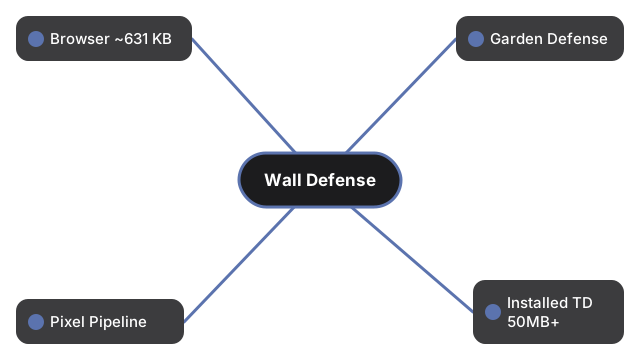
Pick Medieval Wall Defense for the deepest browser incremental on this site - wall defense, hero hiring, skill slots, research trees, offline RP, and Crowns prestige without a download. Pick Garden Defense when you want a self-contained five-wave lane puzzle in under fifteen minutes. Pick Pixel Pipeline Reflex for the smallest payload and fastest reflex loop. Pick an installed incremental when you need cross-device cloud saves, live events, and store economies - at the cost of tens to hundreds of megabytes and sign-in.
All three browser games here run client-side with zero server calls during play. Medieval Wall Defense is the largest single file (~631 KB) because it bundles the full Crownfall-derived experience; Garden Defense and Pixel Pipeline Reflex stay lighter for shorter moods.
Numeric takeaway: if install size is your top constraint, Pixel Pipeline Reflex wins at ~48 KB. If session depth is your top constraint, Medieval Wall Defense wins at 30-120+ minutes per run with prestige meta. If you want zero learning curve and a fixed endpoint, Garden Defense wins at exactly 5 waves. Installed incremental TD apps only win when you value cloud sync and live ops over those browser trade-offs.
Control overlap is worth noting: all three browser games accept click or tap, but only Medieval Wall Defense adds a full keyboard layer (1-4 skills, Space, R, Q, M, Esc). Garden Defense is grid-card placement only; Pixel Pipeline Reflex maps four pipeline stages to keys 1-4. Pick the control scheme that matches your device for that session.
Controls: step-by-step guide. Fit check: when to play in the browser. Also see Garden Defense and Pixel Pipeline Reflex.
Why trust these tools
- Ten-plus years of web tooling. The freetoolonline editorial team has shipped browser-based utilities since 2015. The goal has never changed: get you to a working output fast, without an install.
- No install, no sign-up. Open a tool and get a working output in seconds - nothing to download and no account to create. Tools that need heavy processing run it on our service, so even a low-powered machine gets the job done.
- Analytics stops at the page view. We measure which pages get visited, not what you type or upload inside a tool. There is nothing to sign in to and no profile is attached to your input.
- Open-source core components. The processing engines underneath (libheif, libde265, pdf-lib, terser, clean-css, ffmpeg.wasm, and others) are public and audit-able. We link to each one in its tool page's footer.
- Free, with or without ads. All tools are fully functional without sign-up. The Disable Ads button in the header is always available if you need a distraction-free run.