In-Browser Object Remover vs Cloud Erasers and Manual Editing
freetoolonline.com Editorial TeamThree routes lead to the same goal of a photo without the distracting object: an in-browser eraser like the Object Remover, a cloud removal service, and hand retouching in an editor. They differ in where the photo travels, what the first use costs, and how much control you keep.
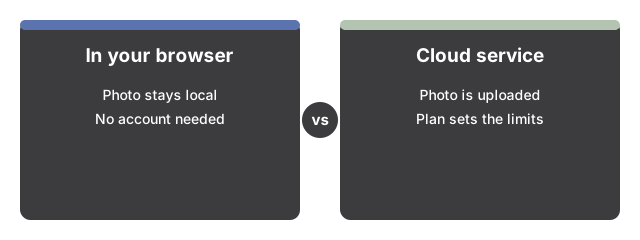
The comparison at a glance
| This page (in-browser) | Cloud removal services | Manual retouching | |
|---|---|---|---|
| Where the photo goes | Stays in your browser; never uploaded | Uploaded to the service's server by design | Stays on your machine in a local editor |
| First-use cost | One-time download of about 27 MB for the AI fill, or zero with Quick patch | Depends on the service's plan and limits | Your time, and practice with retouch tools |
| Account needed | None | Commonly required for full quality or full size | None |
| How the gap is filled | A model paints in matching background from one brush stroke | A server-side model fills it | You rebuild it by hand, piece by piece |
| Result format | Standard PNG | Varies by service | Whatever your editor exports |
What the local route buys you
A cloud eraser receives your picture; that is simply how it works, whatever its retention policy says. The in-browser route removes the question: masking and filling happen on your own device, there is no account, and nothing is retained past the page session. When a photo shows your family, your home, your screen, or a document, not transmitting it is a cleaner answer than trusting a policy. The same locality also means no queue and no quota - the second edit costs nothing because the model is already cached in your browser.
What this page will not match
Honesty about the bounds: the on-device model invents plausible background, and it struggles when a very large subject sits in front of complex, one-of-a-kind detail. It also processes one image at a time - there is no batch mode - and the first AI run needs a network fetch of the roughly 27 MB model before the browser has it cached. If a removal is beyond what a tight mask and a review-and-retry loop can fix here, a heavier server-side model or a patient hand edit are the honest next steps.
Versus doing it by hand
Manual retouching in a layers-and-brushes editor gives you the final say over every pixel, which matters for jobs where the fill must be exact. The price is time and skill: rebuilding a background by hand is a craft. The one-stroke flow here - paint, fill, review, keep or clear the mask and retry - trades that precision for speed, and the built-in example pair on the page shows the quality level you can expect before you commit to either route. For quick manual touch-ups without the removal model, the Photo Editor on this site covers the basics.
Not the same job as cutting out a subject
Removal services and this page fill a gap so the background looks untouched. The Background Remover does the opposite: it keeps the subject and deletes everything else, producing a transparent PNG. If the end goal is a sticker, a product shot, or a profile cutout, start there instead. And when the object sits near the edge of the frame, Crop Image can remove it with no model at all.
Where to go from here
For when the private, in-browser route is the right default, see Remove Objects From Photos Without Uploading - When To Use It. For the full control-by-control run, see Remove an Object From a Photo in Your Browser - Step by Step.
Why trust these tools
- Ten-plus years of web tooling. The freetoolonline editorial team has shipped browser-based utilities since 2015. The goal has never changed: get you to a working output fast, without an install.
- No install, no sign-up. Open a tool and get a working output in seconds - nothing to download and no account to create. Tools that need heavy processing run it on our service, so even a low-powered machine gets the job done.
- Analytics stops at the page view. We measure which pages get visited, not what you type or upload inside a tool. There is nothing to sign in to and no profile is attached to your input.
- Open-source core components. The processing engines underneath (libheif, libde265, pdf-lib, terser, clean-css, ffmpeg.wasm, and others) are public and audit-able. We link to each one in its tool page's footer.
- Free, with or without ads. All tools are fully functional without sign-up. The Disable Ads button in the header is always available if you need a distraction-free run.