Random List Shuffler vs. Alternatives
Reordering a list at random can be done by hand, with a spreadsheet formula, or with a dedicated in-browser shuffler. This guide compares the three on setup time, install size, and whether your data leaves your device.
freetoolonline.com Editorial TeamShuffler vs. manually reordering by hand
Manually dragging or retyping a list into a "random" order is fast for a handful of items but a person's sense of "random" leans toward avoiding runs and repeats, which is not actually random - the same bias that makes shuffled card decks look "too orderly" to a human dealer. A computed shuffle has no such lean; every position has an equal, unbiased chance regardless of what looks intuitive.
Shuffler vs. a spreadsheet RAND() sort
Sorting a column by a `=RAND()` helper column is a common spreadsheet trick and produces a genuinely random order, but it needs a formula in an extra column, a manual sort step, and re-entering the formula for the next shuffle since most spreadsheets recalculate RAND() on every edit. It is a reasonable choice if the list already lives in a spreadsheet; for a plain list of names or items, pasting into a dedicated shuffler skips the formula entirely.
Shuffler vs. a downloaded randomizer app
Desktop or mobile list-randomizer apps exist, but they need an install, permissions, and often an account before the first shuffle. The numbers below are typical, not universal - some apps are lighter.
| Method | Setup time | Install size | Data leaves your device |
|---|---|---|---|
| This shuffler (browser) | 0 seconds - already loaded | 0 MB | No |
| Spreadsheet RAND() sort | ~30-60 seconds per shuffle (formula + re-sort) | 0 MB (uses an existing spreadsheet) | Only if the spreadsheet is cloud-hosted |
| Downloaded randomizer app | 1-5 minutes (download + install, one time) | 5-50 MB typical | No (runs locally once installed) |
Privacy
Privacy is a Random List Shuffler strength: it runs entirely in your browser tab. The list you paste is never uploaded anywhere, no account is required, and the page makes no server round-trip while it shuffles - the same privacy position as a local spreadsheet.
Companion tools
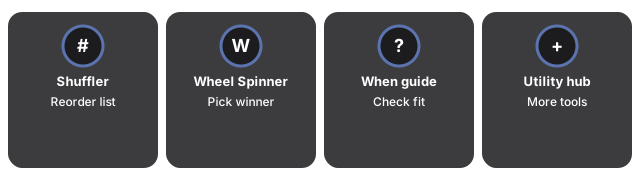
Companion tools around Random List Shuffler cover the adjacent single-pick and fixed-outcome jobs - Wheel Spinner for a winner, the when guide to check fit, and the utility hub for more tools.
- Random List Shuffler - the tool itself.
- When to Use a Random List Shuffler - the situations it fits best.
- Wheel Spinner - for picking a single winner instead of reordering the whole list.
- Utility tools hub - the rest of the everyday conversion and generator tools on this site.
Frequently asked questions
Is a spreadsheet RAND() sort actually random?
Yes, genuinely random, but it needs a formula column and a manual sort step each time, and most spreadsheets recalculate RAND() on every edit, which can reshuffle the helper column unexpectedly before you sort.
Why is a manual reorder not truly random?
People tend to avoid placing similar items next to each other or leaving an item in its original spot, which skews the result away from a true random distribution even when the intent is to be random.
Do I need to install anything to use this shuffler?
No. It runs in the page you are already on - no download, no account, and no permissions prompt.
Why trust these tools
- Ten-plus years of web tooling. The freetoolonline editorial team has shipped browser-based utilities since 2015. The goal has never changed: get you to a working output fast, without an install.
- No install, no sign-up. Open a tool and get a working output in seconds - nothing to download and no account to create. Tools that need heavy processing run it on our service, so even a low-powered machine gets the job done.
- Analytics stops at the page view. We measure which pages get visited, not what you type or upload inside a tool. There is nothing to sign in to and no profile is attached to your input.
- Open-source core components. The processing engines underneath (libheif, libde265, pdf-lib, terser, clean-css, ffmpeg.wasm, and others) are public and audit-able. We link to each one in its tool page's footer.
- Free, with or without ads. All tools are fully functional without sign-up. The Disable Ads button in the header is always available if you need a distraction-free run.